How To Track Time And Manage Projects Efficiently In Linux Mint / Ubuntu
Gnome Time Tracker is a very useful time and project management utility for Linux Mint / Ubuntu. This is useful especially when you need to track time required to complete certain activities or are freelancing and need to charge clients by the hour for the work you do.
Here is how to install it :
1. Open Terminal and type sudo apt-get install gnotime

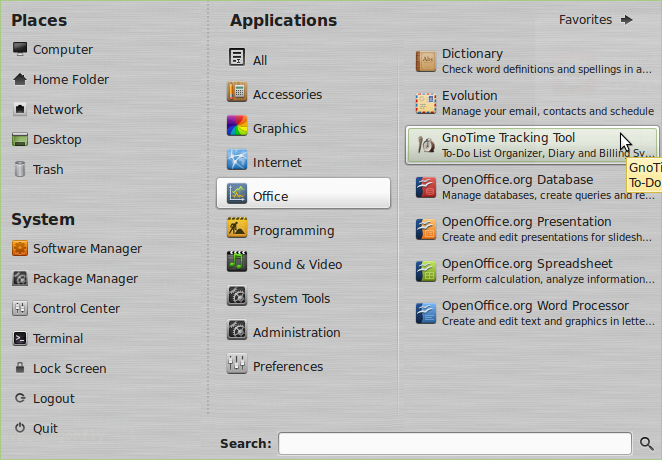
2. Once installed, it will show up in the Menu > Office section.
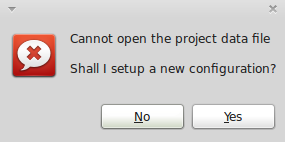
3. When first opened, click Yes to make a new project file configuration.
4. The workspace is pretty simple to use and understand. You can make new projects and then within these projects create new entries, start and stop timer for each of these entries to track the time taken for each of these entries to complete.

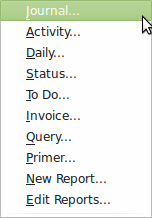
5. Reports of these tasks can be made in various formats like invoices, journals, to-do lists each providing some specific information.

By the way, GnoTime Tracking is not just for managing small projects but also when you need to time yourself doing various tasks like trying to write a blog post, researching about topics and so on. It doesn’t offer multi-user collaboration which is a norm in large projects but still is a handy application from a single individual perspective.
Cheers to improved productivity.
How to Change Scan Settings in Linux Mint

TurnKey Linux: Free Virtual Appliance Library Of Open Source Apps

Hello Vernessa,
There are other apps which are more broader in their usage like GForge and they are updated regularly.
For most of the practical purposes though, Gno Time Tracker is ok for individual users.
Thanks for your comments.
Cheers.
Hi,
Thanks for responding. It’s good to know you’ve found it works ok. I’ll add the Gnome Time Tracker as a resource to that article. Have a great week!
Hi,
In writing an article about using Timers, I came across your article here. I was happy to come upon a timer/project management app for Linux, as I like to include some Linux apps in articles.
Unfortunately, seems like this one is out-dated and no longer maintained since 2008. Do you know of a more up-to-date version?
Sweet!
Maybe I shud switch 2 Ubuntu.