How To Quickly Generate A List Of All The Drivers From Windows Command Prompt
October 10, 2011
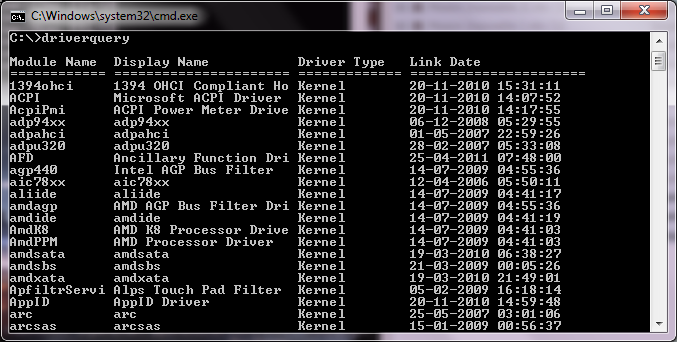
Here’s how to quickly generate a list of all the drivers from Windows command prompt:
1. Issue the following command at the Windows command prompt –
driverquery

2. You will be presented with a list of all the drivers in the system –