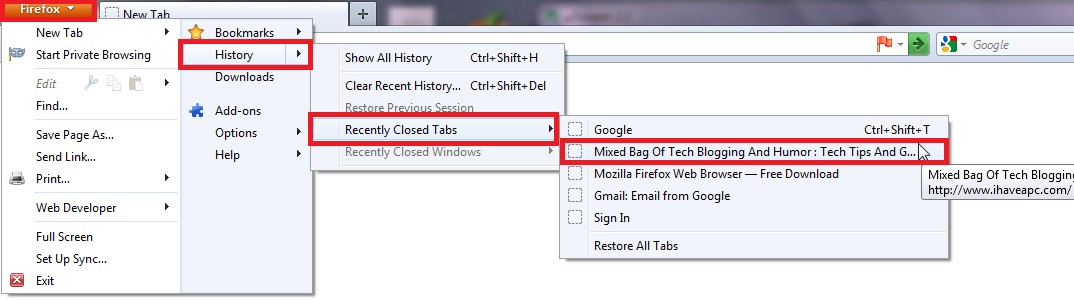
How To Quickly Open Accidentally Closed Tabs In Firefox Browser December 28, 2011 Here’s how to quickly open accidentally closed tabs in Firefox browser: 1. Click on ‘Firefox>History>Recently Closed Tabs’ and select the tab which you closed accidentally – Tags:firefox tips, Quickly Open Accidentally Closed Tabs In Firefox Browser Related Posts Test Your Internet Speed In Chrome With Ookla Speedtest How To Fix Steam Connectivity Error When Playing PC games How To Remove Default Listed Games In Windows 7 About The Author admin