How To View Kernel Messages In Linux In Real Time
December 4, 2012
Here’s how to view kernel messages in Linux in real time:
1. Issue the following command at the terminal –
sudo watch “dmesg | tail -20”
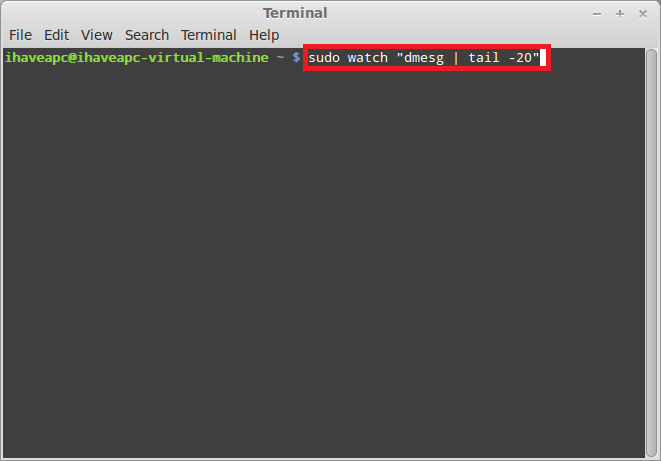
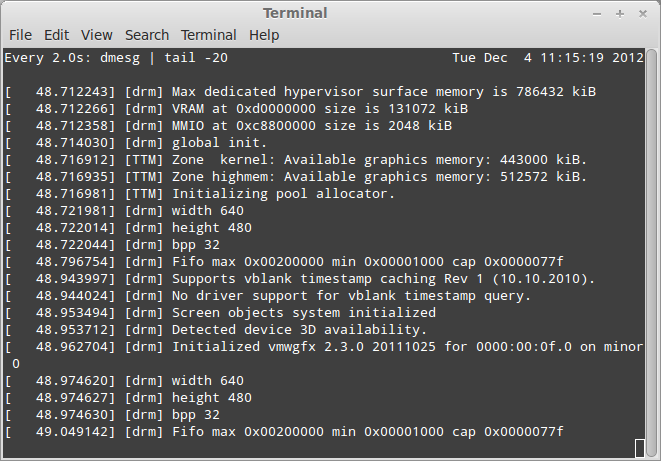
2. Enter the user password when prompted. The above command will display the latest 20 lines of the kernel messages in real time. This is very useful in troubleshooting hardware issues.
Related Posts

How To Install And Use Kwave Sound Editor In Linux Mint / Ubuntu

Xpad: A Nice Sticky Notes Application For Linux Mint / Ubuntu
