How To Generate A List Of All Available Commands In Windows Command Prompt
February 28, 2014
The Windows command prompt has many useful commands that can do useful things.
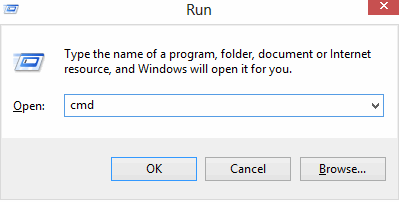
To make a list of these commands for reference, open the command prompt (Windows key + R) and type :
[cce]
cmd
[/cce]
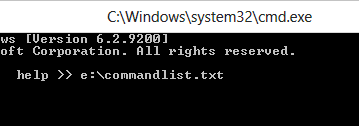
Once at the command prompt, simply dump the contents of the “help” command to an external text file by typing :
[cce]
help >> pathwherethefileistobekept\filename.txt
[/cce]
In this example, file named commandlist.txt will be created in E: drive, so the command will be :
[cce]
help >> e:\commandlist.txt
[/cce]
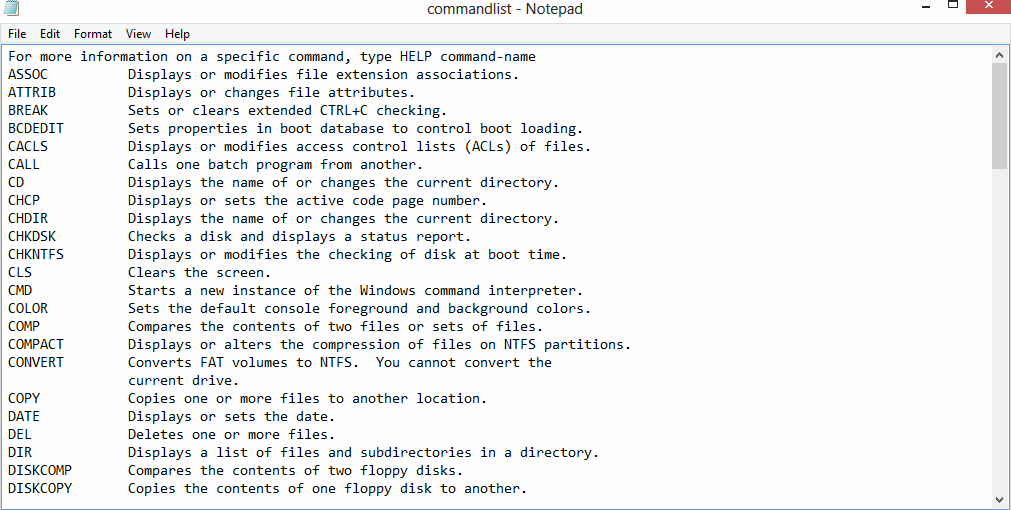
Open the newly created text file. It will have all the commands listed in alphabetical order that are available in Windows command prompt. 🙂
Enjoy.
Use SSH Directly From Windows 10 Command Prompt By Installing OpenSSH Client
Epic Browser: Firefox Meets Super Sidebar
Handy Shortcut Keys In Windows
One Comment