Quickly Boost The Volume Level In Google Chrome Upto 600% With This Add-on
Volume Master is a Chrome add-on that can boost the volume playback significantly (as much as up to 600%).
Download and install it from the Chrome Web Store here.

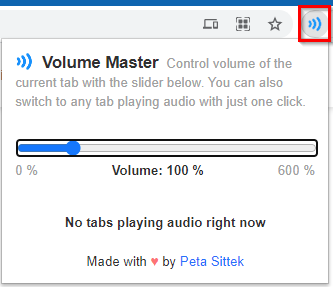
After it is installed, pin it next to the Chrome address bar by clicking on the Extensions icon.


Using Volume Master is very simple. Click on the add-on icon to raise or lower the volume.
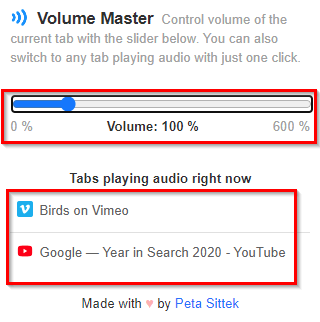
Once any tab with audio is opened, it will automatically be displayed in the bottom pane of the add-on pop-up. When there are multiple tabs opened with audio, you can directly switch to them from the add-on window as they would be listed under the section Tabs playing audio right now.
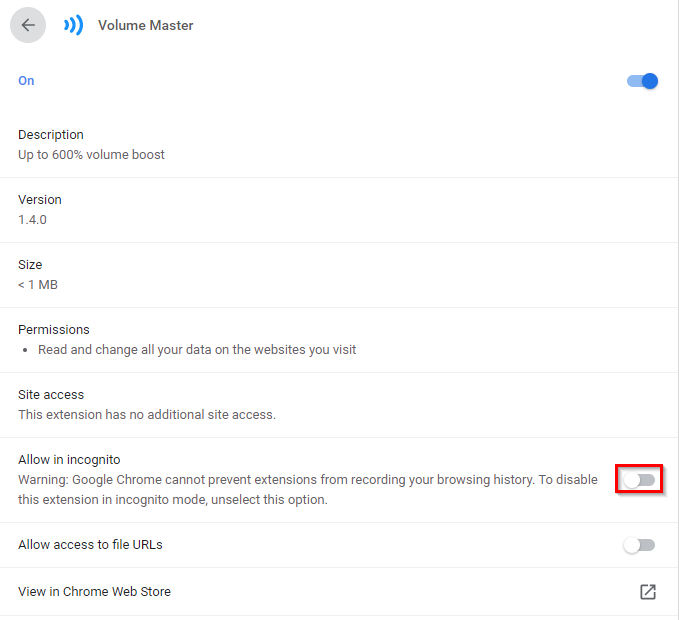
Also, by default, Volume Master is not enabled for Incognito Mode. To enable it, right-click on the add-on icon and choose Manage Extensions.
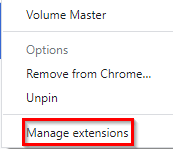
Then enable the slider next to Allow in incognito.
This is a useful Chrome add-on when you’d want to turn up the audio within tabs. For Firefox, Audio Equalizer is another similar add-on.
All done.