What is the uname command in Linux
The uname command is a Linux command-line tool that is used to retrieve and print the system information, such as the kernel name, release version, processor type, and more. It is a versatile command that can be used for different purposes, including debugging, system administration, and programming.
In Linux, this command is pre-installed and readily available for most distros. It can be accessed through the terminal by simply typing uname or with one or more options.
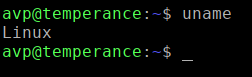
The available options are:
The syntax for uname command | |
| a | Prints all available system information, including the kernel name, network node hostname, kernel release version, kernel version, machine hardware name, processor type, and operating system. |
| s | Prints the kernel name |
| n | Prints the network node hostname |
| r | Prints the kernel release version |
| v | Prints the kernel version |
| m | Prints the machine hardware name |
| p | Prints the processor type |
| i | Prints the hardware platform |
| o | Prints the operating system |
Here are some examples of how to use the uname command:
To print all of the system information, use the -a option:

Add other parameters as needed from the table for displaying different sorts of system information.

To access the man page for it, type in:
man uname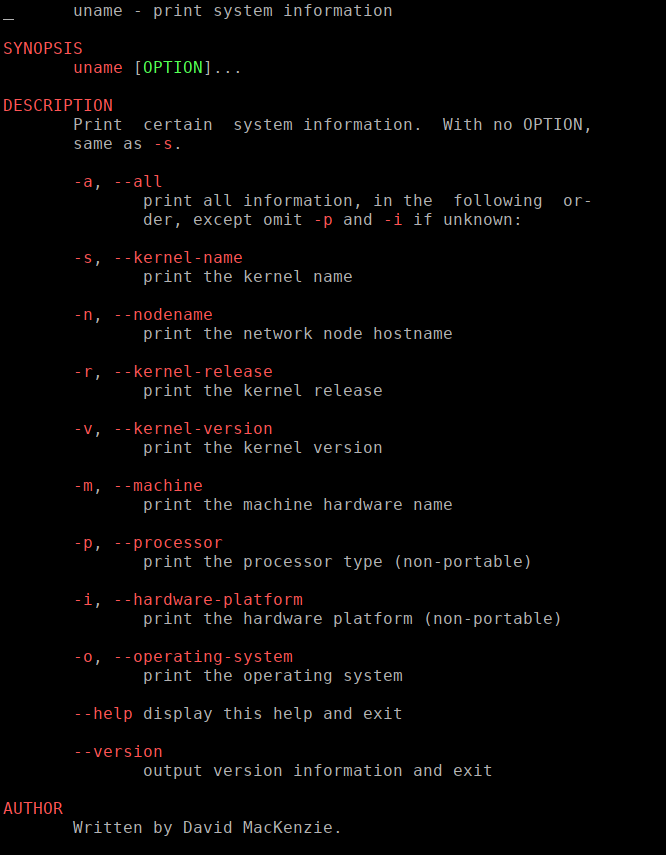
Overall, this command is a quick and handy command for retrieving system information in Linux.
There are other system information tools available for a more detailed view like inxi.
All done.