How To Access Safe Mode In Windows 10
Accessing safe mode is useful when trying to troubleshoot Windows problems or to optimize the system settings. Earlier versions of Windows had the option of pressing F8 during system boot to launch safe mode. However in Windows 8 and 10, the process of booting into safe mode is a lot different.
Here is how to enable safe mode in Windows 10 :
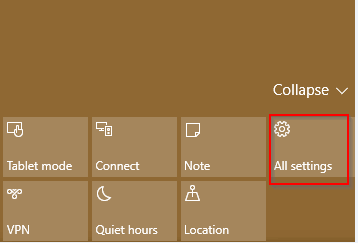
First, through Action Center go to All settings and choose Update & security.

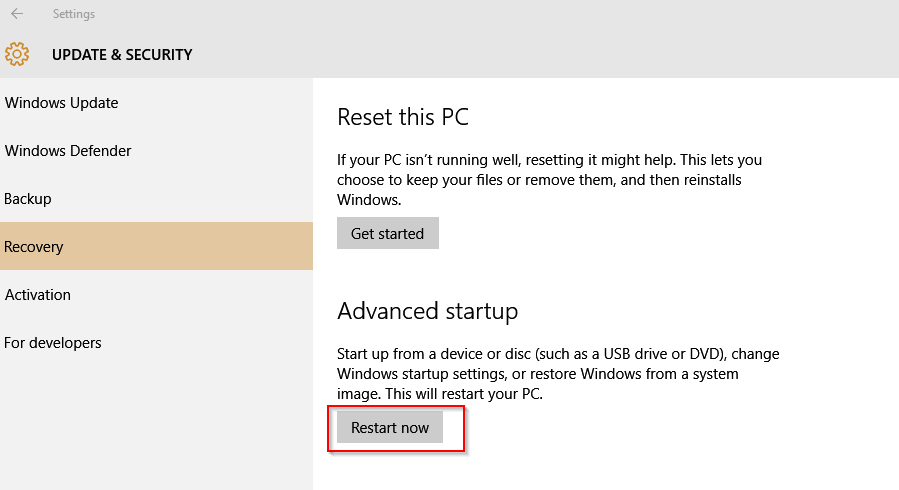
Next, click on Recovery and from Advanced startup section, click on Restart now.
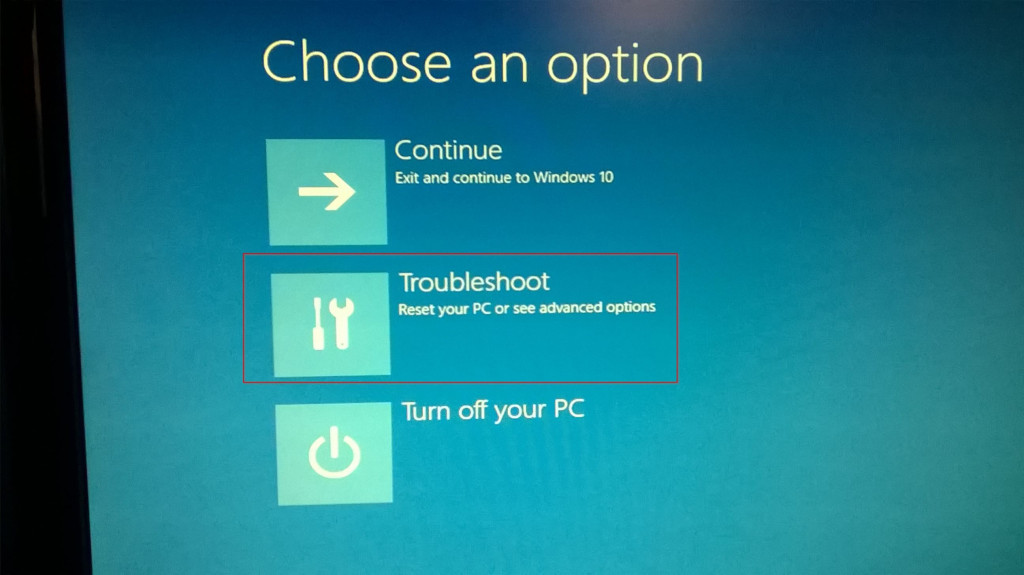
From the options displayed, select Troubleshoot.
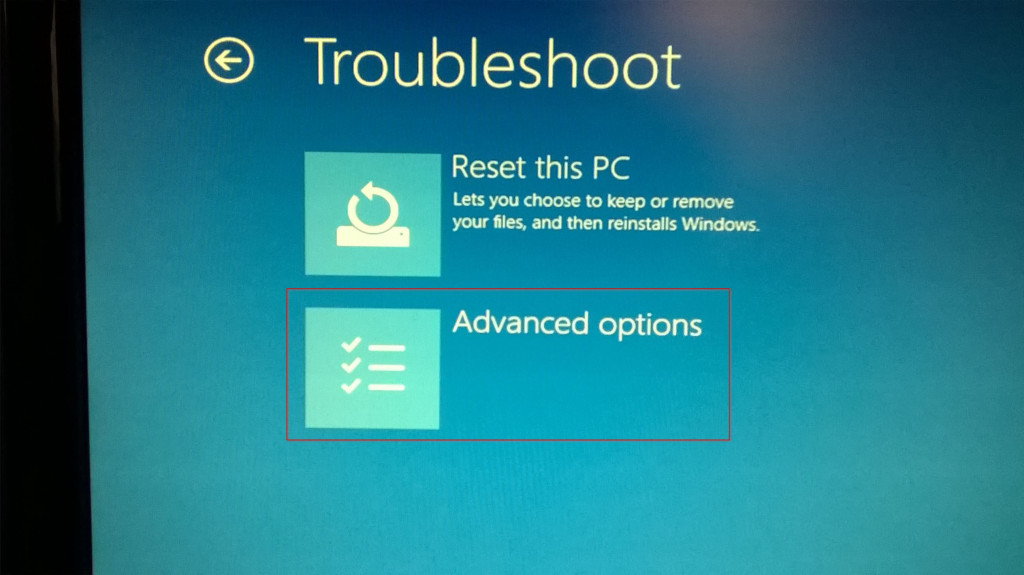
And then Advanced options.
Select Startup Settings from the Advanced options list.
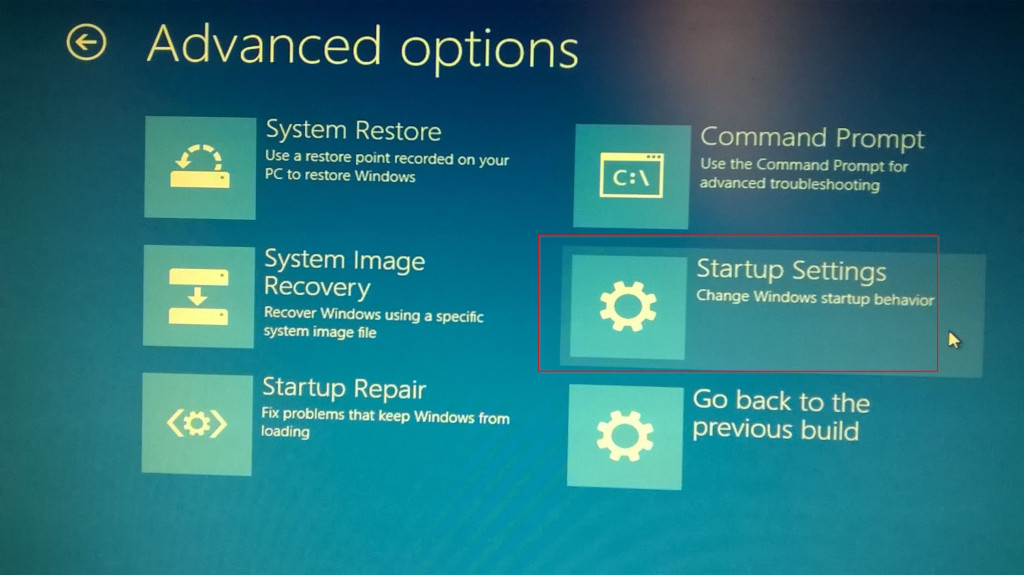
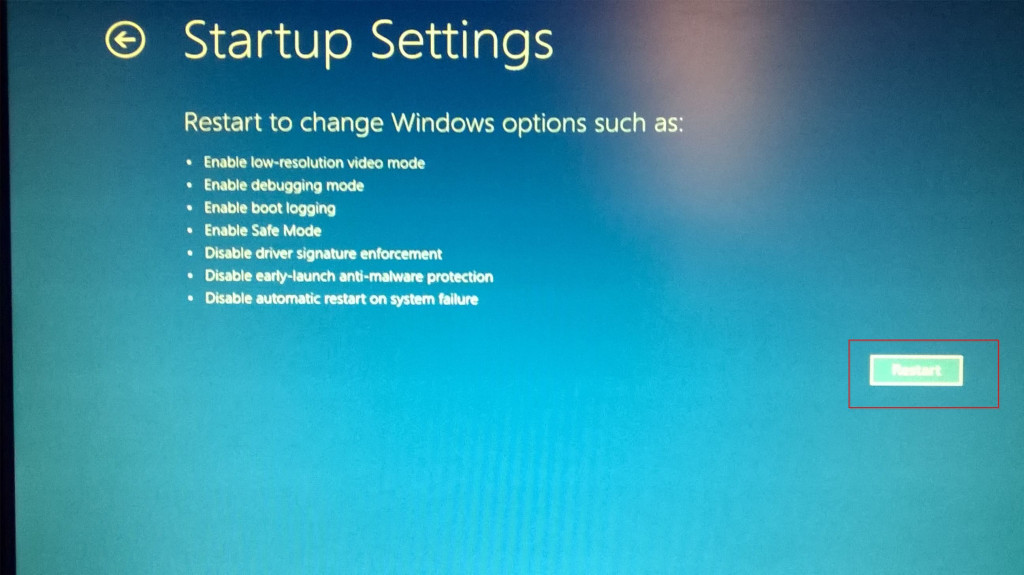
Finally, hit Restart.
Finally, either use number keys associated with various options or function keys F1-F9 to choose Enable Safe mode.
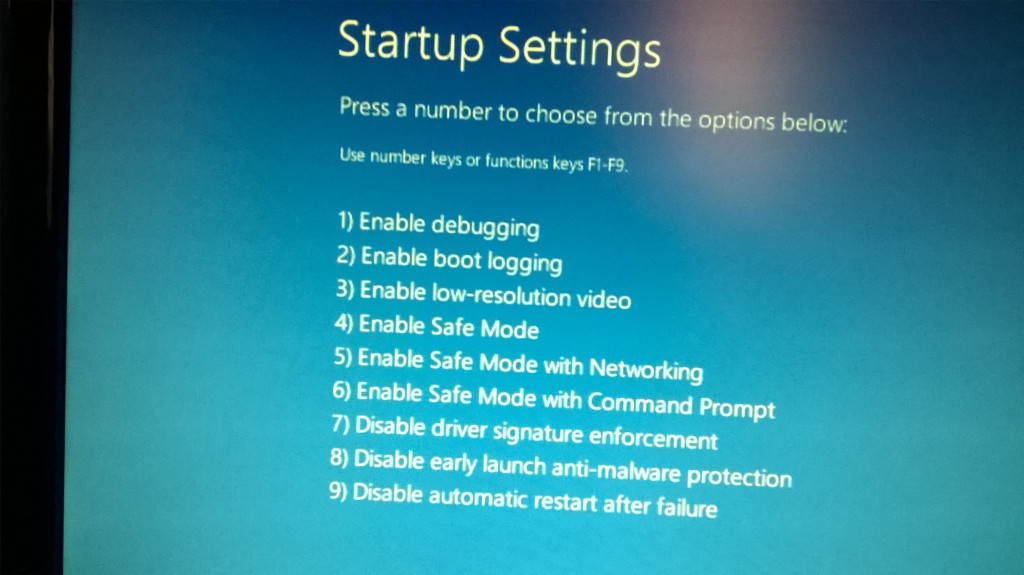
Windows 10 will now reboot into safe mode.
All done.

How To Use The Timeline Feature In Windows 10

How To Permanently Block A Program Through Windows Firewall
Great post about the save mode access on Windows 10, I really liked it.