Skip to content

I Have A PC

Tech Tips and How-To's Since 2010
Menu
  • Home
    • Tech
    • Apps
    • Misc
    • Linux
    • Windows
  • Giveaways and Freebies
  • Free Stuff
  • Sitemap
  • Copyright Policy
  • Cookie Policy
  • Contact
  • About
HomeWindows10How To Customize Fonts Per Account In The Windows 10 Mail App

How To Customize Fonts Per Account In The Windows 10 Mail App

April 26, 2021

The Windows 10 Mail app has many useful features like managing multiple accounts from a single interface.

So if you have more than one email accounts configured, you can then choose different fonts for each of them.

Here is how:

Open the Mail app and click on the settings icon.


From the Settings section, choose Default Font.
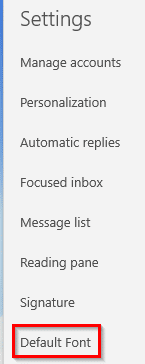
accessing the default font settings in Windows 10 Mail app
This will open the font settings. To configure a per account font, select the email account from the drop-down menu.
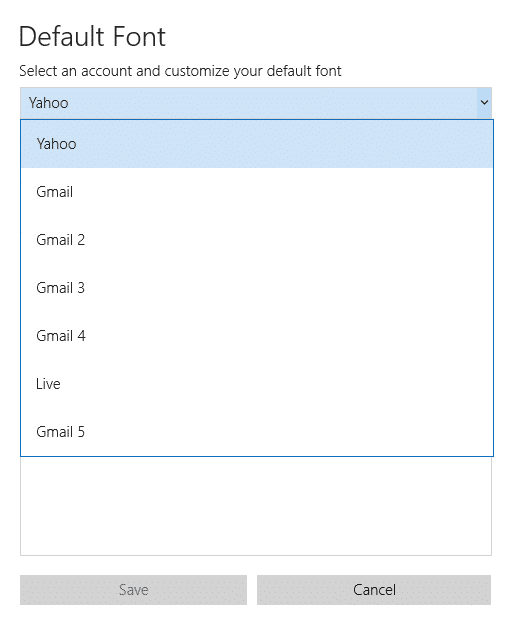
choosing the email account for which the font settings need to be changed in Windows 10 Mail app

Then change the font settings. The preview window will show how the different font settings will appear. Choose as needed.
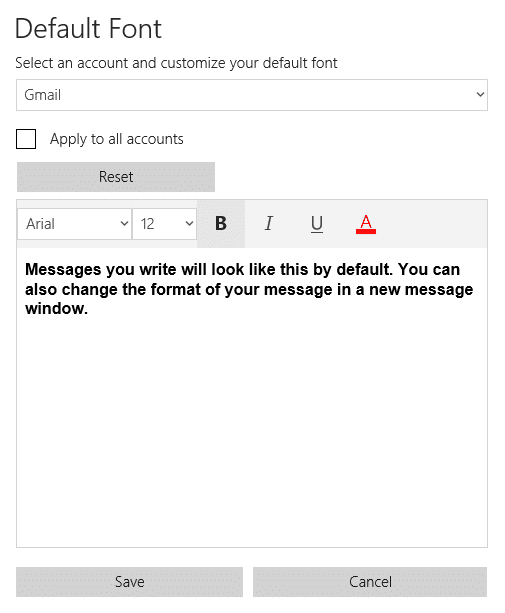
font preview per email account in Windows 10 Mail app
Also, if you would like to keep the same font settings for all the added accounts then check the option of Apply to all accounts.
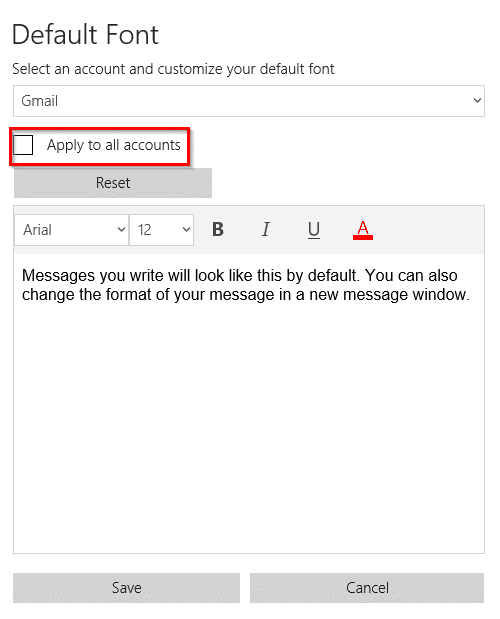
applying the same font settings to all accounts in the Windows 10 Mail app

To reset all the font settings to default, click on the Reset button.

Happy emailing.

Tags:change default font settings in the Windows 10 Mail app, set fonts per account in Windows 10 Mail app, windows 10 mail app tips

Related Posts

How To Disable Printing Background Colors And Images Of Webpages In Internet Explorer 9

How To Use Specific Troubleshooters In Windows 10

How To Quickly Get Detailed Info Of Core System Components

About The Author

admin

  • Bluesky
  • Email
  • Facebook
  • Twitter
  • YouTube

Free E-books

Linux Command-Line Cheatsheet
Linux Command-Line Basics
Linux Shell Scripting Primer

Free GWS Trial

Try Google Workspace free for 14 days

Archives

  • Bluesky
  • Email
  • Facebook
  • Twitter
© 2026 I Have A PC | WordPress Theme by Superb WordPress Themes
Back to Top ↑