Change How Long Vivaldi Stores Your Browsing History
The Vivaldi browser gives users fine control over how long browsing history is stored. This is useful for maintaining privacy or reducing disk space usage, especially if you prefer to keep only recent activity visible.
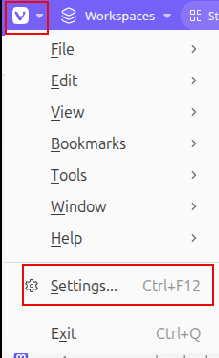
To adjust this setting, open Settings by clicking the Vivaldi menu icon in the top-left corner and selecting Settings or by pressing Ctrl+F12.
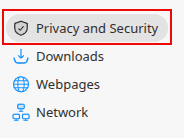
Then from the left pane, click on Privacy and Security.
From the right pane, under the PRIVACY section you’ll find the option Save Browsing History.
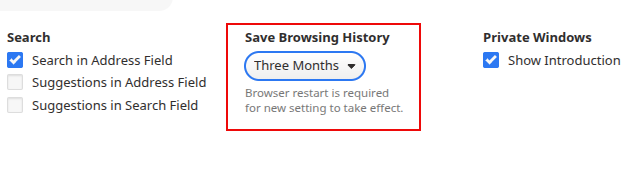
The drop-down menu for that lets you choose the duration for which you want Vivaldi to retain your history. The available options include Session Only, One Day, One Week, One Month, Three months, Six months, OneYear, or Forever.
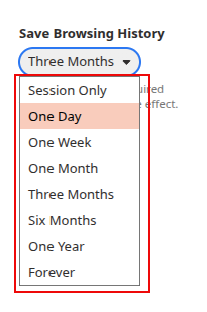
By default, it is stored for 3 months so you can change it to something shorter. Once you make a selection, you will need to restart Vivaldi for the changes to take effect.
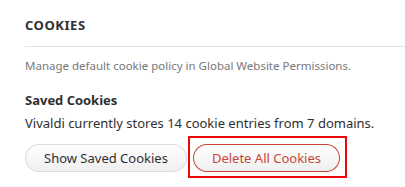
Also, if you prefer to delete your cookies, you can do so manually. In the same section, scroll down to the COOKIES section and click the Delete All Cookies button to manually delete them.
So by managing these settings, you can decide how much of your online activity remains stored, giving you better control over your browsing data and digital footprint.
How to Enable Scareware Blocker in Microsoft Edge
How To Use Immersive Reader In Microsoft Edge