Manage Multiple Chats Easily in WhatsApp Web
If you use WhatsApp Web, here’s a quick and simple way to save time: select multiple chats at once and perform actions like marking them as read/unread, muting notifications, or clearing them.
To do this, log in to WhatsApp Web on your browser and click the three-dot menu at the top left corner. Then choose Select chats from the menu.
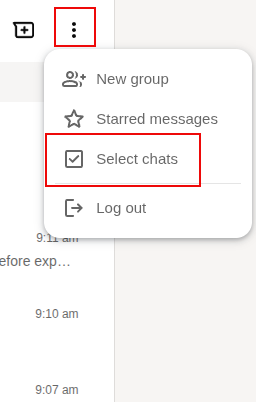
You’ll then see a selection box next to each chat. Tick the chats you want to manage and click the three-dot menu next to the number of chats selected.
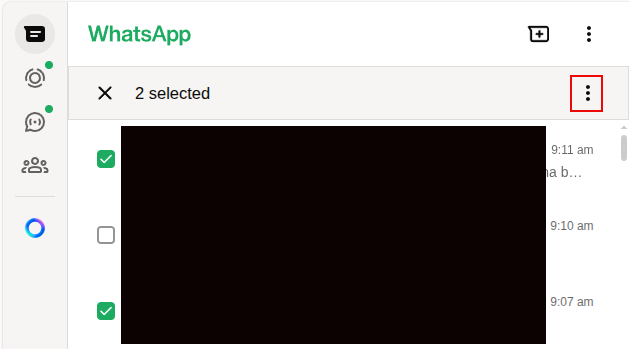
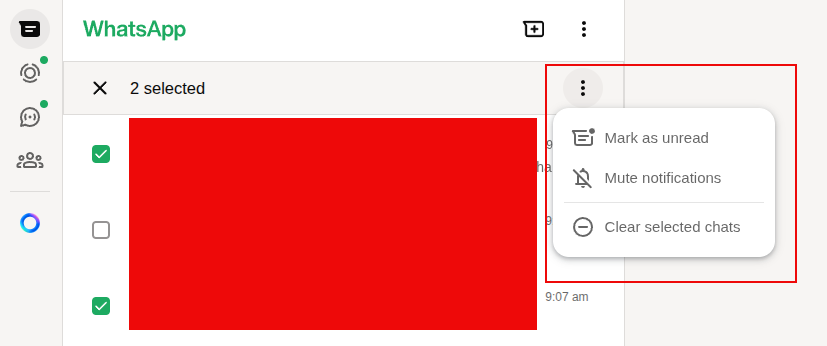
From here, you can choose Mark as read/unread, Mute notifications, or Clear selected chats all in one go.
This is a great way to organize your conversations without having to deal with each chat individually. Use it regularly to keep your WhatsApp Web tidy and clutter-free.
Happy chatting.

New Year 2014 HD Wallpapers
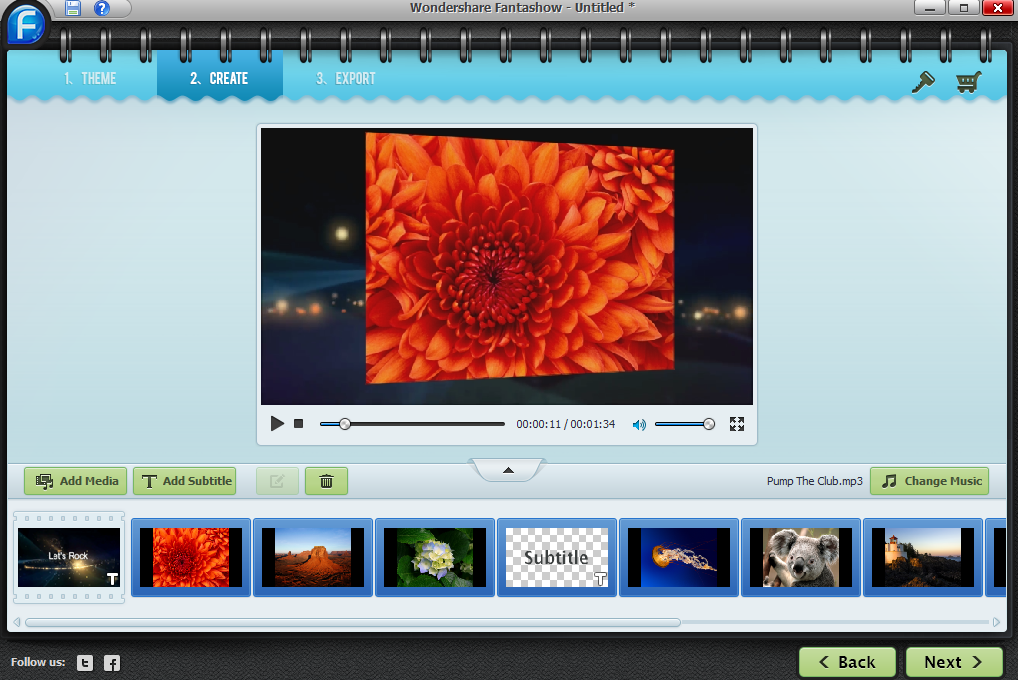
Review And Free Giveaway : Wondershare Fantashow