How QR Codes Work: A Simple Guide
QR codes are everywhere including posters, restaurant menus, bus stops, product labels, and even TV ads. You simply point your phone at the black-and-white square, and a website pops open instantly.

It feels effortless, but what’s happening behind the scenes is quite interesting and surprisingly simple.
What Exactly Is a QR Code?
A QR code (Quick Response code) is a type of 2D barcode made up of black and white squares.
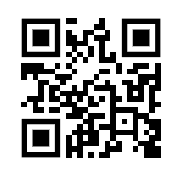
These squares are arranged in a special pattern that stores information such as:
- A website link
- Contact details
- Text
- Payment data
- Wi-Fi login info
Think of a QR code as a tiny printed storage box that holds text.
How Your Phone Reads a QR Code
1. Your camera captures the QR code
When you open your camera or a QR scanner app and point it at the code, your phone instantly takes a snapshot of the pattern.
2. The phone checks for key markers
Every QR code has three large squares in three corners. These tell the phone:
- “This is a QR code.”
- “Here’s the orientation.”
So even if the code is tilted or upside down, your phone can still decode it.
3. The tiny squares become digital information
The rest of the QR code is filled with small black and white squares. Each of these represents bits 0s and 1s. Your phone’s QR reader converts these bits into text.
4. The decoded text becomes an action
If the text is a website link, your phone shows a prompt to open it in the browser.
That’s it. Fast, simple, and accurate.
Why QR Codes Work So Well
QR codes are popular because they are:
- Fast: They scan instantly.
- Flexible: They can store more information than regular barcodes.
- Reliable: They work even if part of the code is scratched or blurry (thanks to error correction).
- Universal: Any modern smartphone can scan them so no special hardware is needed.
How to Create Your Own QR Code
Making a QR code is extremely easy. You don’t need any software as most tools are free and online.
Option 1: Use a Free Online QR Code Generator
You can create a QR code in under 30 seconds using websites like:
Steps (same for most websites):
1. Go to the QR code generator site.
2. Choose what you want the QR code to contain (website link, text, email, Wi-Fi login, etc.).
3. Type the information.
4. Click Generate.
5. Download the QR code image (PNG or SVG).
6. Print or share it anywhere.
Option 2: Use Your Browser (Google Chrome)
On many desktop browsers:
1. Open the webpage you want.
2. Right-click on the page.
3. Select Create QR code.
4. Download the image.
Option 3: Use Smartphone Apps
Apps on Android and iOS let you create QR codes for:
- Contacts
- Events
- Wi-Fi passwords
- Locations
Just install a QR generator app and follow the on-screen steps.
Tips for Using QR Codes Effectively
- Make the code large enough to scan easily (at least 2–3 cm square on print).
- Provide some text like “Scan to visit website” so users know what it does.
- Test the QR code with multiple phones before printing it widely.
QR codes are a simple but powerful way to share information instantly. Now that you know how they work and how to create your own, you can use them for websites, events, menus, or even personal projects.
Happy scanning.

Quickly and Easily Edit Videos with MiniTool MovieMaker

How To Mute Tweets With Specific Keywords And Phrases
