How To Toggle Proton Mail Notifications
Proton Mail is a secure, privacy-focused email service designed to protect your communications from tracking and unauthorized access. Founded by CERN scientists, it uses end-to-end encryption, meaning only you and your recipient can read your messages.
It also offers features like zero-access architecture, anonymous sign-up, and strong data protection under Swiss privacy laws.
To change your notification settings in Proton Mail, start by logging in and opening All Settings.
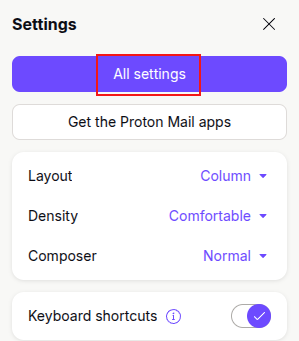
In the left sidebar, go to the Account section and select Dashboard.

Scroll down until you reach the Notifications area on the right.
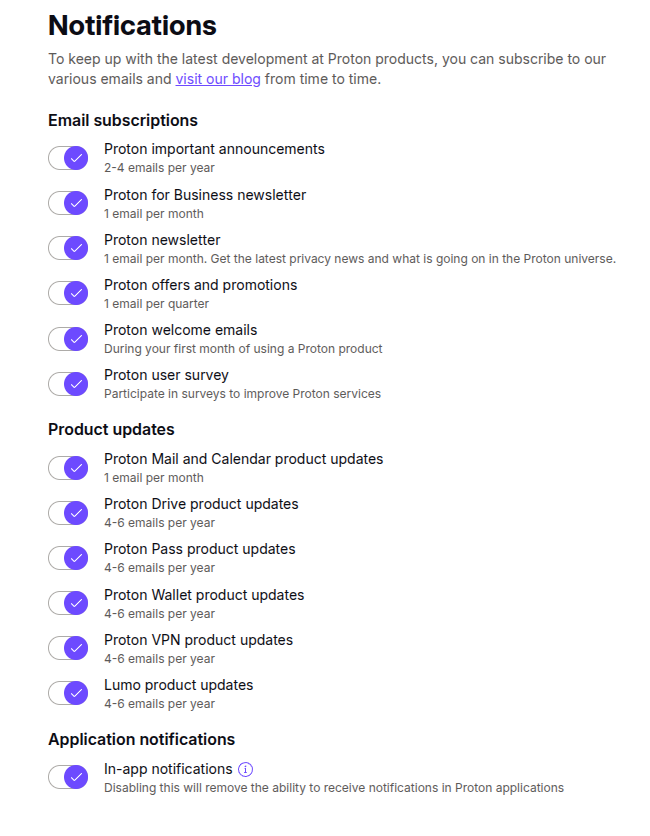
Proton Mail groups notifications into three categories: Email Subscriptions, Product Updates, and Application Notifications. You can turn each category on or off depending on what you want to receive. For example, if you only want product-related updates, keep those enabled and switch the others off.
In-app alerts can also be turned off from the Application Notifications section.
Happy emailing!

Video Call For Free From Brave Browser With Brave Talk
