The Great Word Processing Divide: Offline Power and Online Agility
The debate is almost as old as the internet itself. In one corner, we have the established titans of desktop computing: free and robust offline editors like LibreOffice Writer. In the other corner, the agile challengers of the cloud era: online editors like Google Docs and Word for the Web.
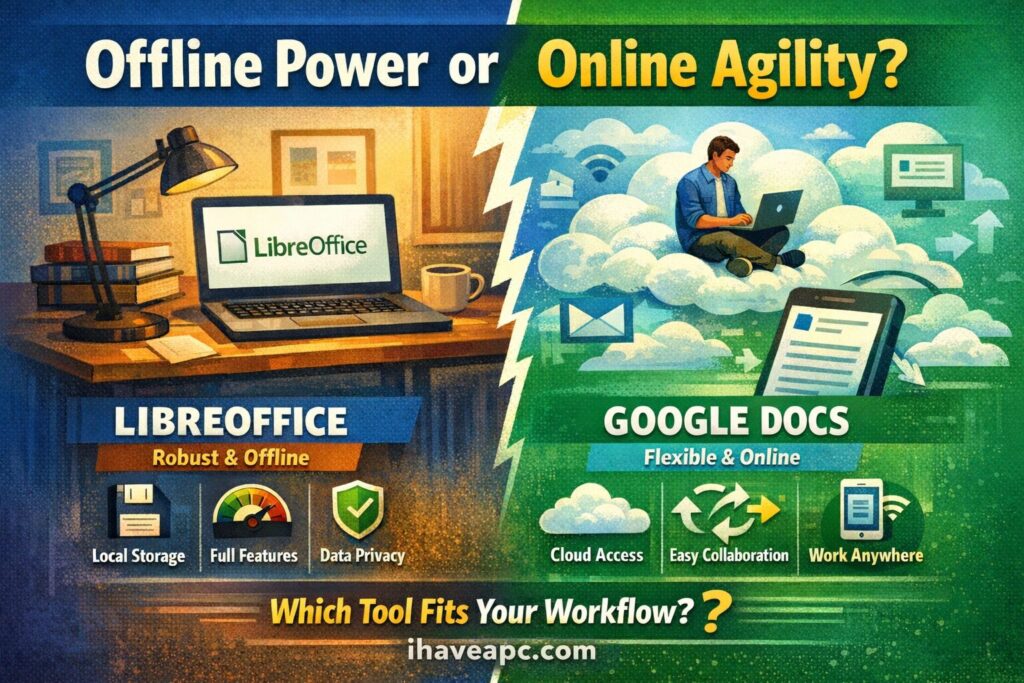
For decades, “writing a document” meant launching a heavy application installed on your hard drive. Today, it often just means opening a new browser tab.
Which approach is superior? The answer, frustratingly but predictably, is: it depends. It depends on your workflow, your need for privacy, the complexity of your documents, and who you are working with.
This article breaks down the technical and practical trade-offs between these two paradigms to help you decide which tool belongs in your digital toolbox.
The Case for the Offline Editor (e.g., LibreOffice Writer, MS Word Desktop)
The offline editor is the “local powerhouse.” It lives entirely on your machine, utilizing your computer’s CPU and RAM directly, without relying on a browser engine as an intermediary.
1. Unrivaled Feature Depth and Precision
If document creation were construction, online editors are excellent for building rapid prototypes and standard office buildings. Offline editors are necessary for building cathedrals.
Applications like LibreOffice Writer have decades of feature development behind them. They handle complex tasks that choke browser-based tools: massive documents with hundreds of pages, intricate cross-referencing, highly specific academic formatting standards, complex mail merges, and master document handling.
- The Technical Edge: Because they run natively on your OS, they have direct access to system fonts and printer drivers, ensuring that what you see on the screen is exact-pixel-perfect to what comes out of the printer. Browser rendering can sometimes “drift.”
2. The “Air-Gapped” Advantage: Privacy and Security
For users handling sensitive data like legal documents, medical records, or proprietary business strategy the offline editor is the safer bet.
When you use LibreOffice, your document exists only on your local storage until you decide otherwise. There is no data telemetry being sent to Google or Microsoft servers while you type. You are not subject to the Terms of Service of a cloud provider that might include automated scanning of your content for “service improvement” or advertising purposes. You hold the keys to the kingdom.
3. Performance and Reliability Stability
Offline editors do not need the internet. You can write your novel in a cabin in the woods or draft a proposal on a plane with zero Wi-Fi. Furthermore, because they don’t rely on browser JavaScript engines, they are generally more stable when handling very large files containing many high-resolution images or complex tables.
The Cons of Offline:
- Collaboration Friction: “Collaboration” usually means emailing file versions back and forth (e.g., contract_v3_FINAL_REALFINAL.docx), leading to version-control nightmares.
- Local Risk: If your hard drive dies and you haven’t backed up, your work is gone forever.
- Installation Required: You can’t just walk up to a library computer and access your setup instantly.
The Case for the Online Editor (e.g., Google Docs, Word for the Web)
The online editor is the “collaborative hub.” It treats the document not as a file on a drive, but as a living URL on the web.
1. The Revolution of Real-Time Collaboration
This is the feature that changed everything. Before Google Docs, true simultaneous editing was virtually impossible.
Online editors allow multiple users to type, comment, and suggest edits in the exact same document space at the exact same time. For teams, students doing group projects, or remote workforces, this is indispensable. The “single source of truth” lives in the cloud, eliminating conflicting file versions.
2. Ubiquitous Access and Zero Friction
The barrier to entry is nonexistent. If a device has a modern web browser, it can edit the document. You can start a draft on your work laptop, add a paragraph on your phone on the train, and finalize it on your home tablet. There is nothing to install, patch, or update.
3. The Safety Net: Auto-Save and Version History
The panic of a computer crashing and losing an hour of unsaved work is largely a thing of the past with cloud editors. Every keystroke is saved almost instantly to remote servers.
- The Technical Edge: Cloud platforms maintain granular “version history.” They don’t just save the current state; they save snapshots over time. If you accidentally delete 20 pages today, you can easily roll the document back to how it looked yesterday at 3:00 PM.
The Cons of Online:
- The “Rendering Gap”: A complex .docx file created in desktop Word often looks broken when opened in Google Docs. Different platforms use different rendering engines to interpret formatting codes, leading to misalignment.
- Internet Dependency: While offline modes exist for platforms like Google Docs, they are often finicky to set up and lack full functionality. If AWS or Google Cloud goes down, you stop working.
- Privacy Trade-offs: You are trusting a third party with your data. While enterprise-grade security is strong, you do not possess physical control over the files.
Summary: Which Type of User Are You?
The choice isn’t about finding the “best” software; it’s about finding the right tool for the job at hand. Many savvy users end up using both in a hybrid workflow.
Here is a framework to help you decide:
Choose an Offline Editor (LibreOffice, Word Desktop) if:
- You are a “Power User”: You are writing a thesis, a technical manual, or a book that requires highly complex formatting, indices, and precise layout control.
- You are a “Privacy Advocate”: You are handling highly sensitive, confidential information and do not want it sitting on someone else’s server.
- You work off the grid: You frequently work in areas with poor or non-existent internet connections.
Choose an Online Editor (Google Docs, Word Online) if:
- You are a “Team Player”: Collaboration, commenting, and real-time co-authoring are essential to your daily workflow.
- You are an “Agile Worker”: You need to access your documents instantly from multiple devices without friction.
- Your formatting needs are basic: You are mostly writing memos, basic reports, or blog posts where complex layout is secondary to getting the words down quickly.
So choose as needed depending on your document needs and environment.
Happy composing.

How to Use the Personal Dictionary in Google Docs
How To Easily Know System Configuration Details With Speccy