How to Change File History Settings in Zorin OS
Zorin OS retains file history by default forever. You can change this setting if needed.
Here is how to do that:
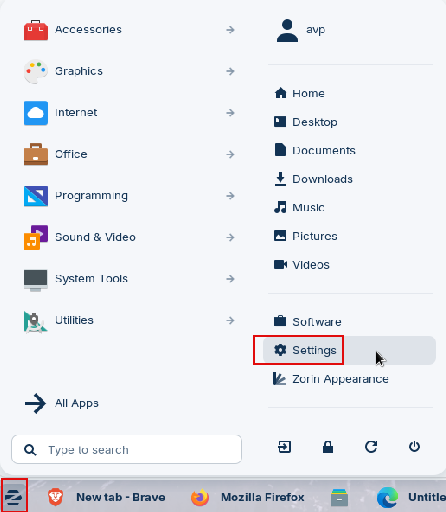
From the menu launcher, click on Settings.
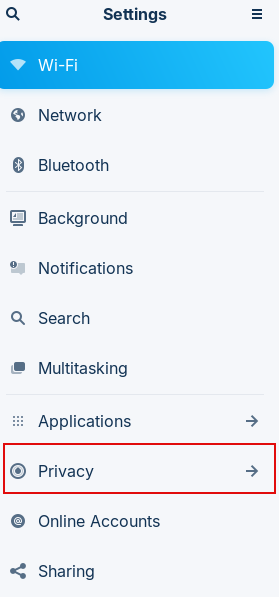
Then choose Privacy.
Click on File History & Trash. Over there, you will see that, by default, the file history is retained forever.
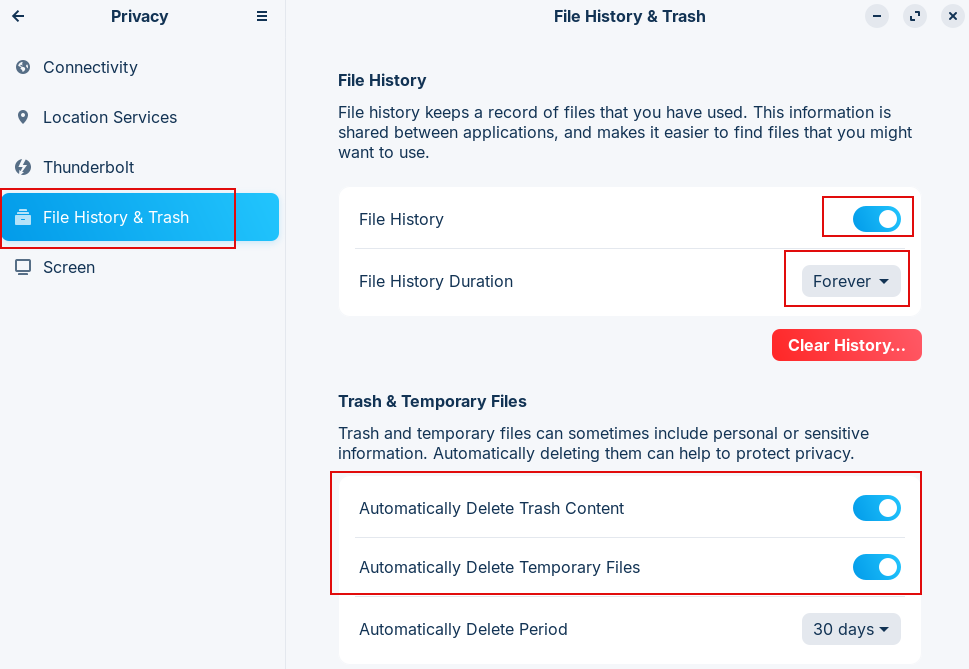
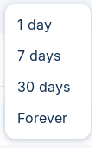
Click on the File history duration drop-down menu and change it. The available options are 1 day, 7 days, 30 days, and Forever.
You can also delete the existing file history through the Clear History button.
Similarly, you can set trash to be automatically emptied from the Trash & Temporary Files section. By default, the trash and temporary files don’t get auto-deleted.
You can change these by enabling Automatically Delete Trash Content and Automatically Delete Temporary Files.
So, Zorin OS makes it easy to configure your system privacy settings with just a few clicks.
All done.

How To Convert Various Disk Image Formats To ISO In Linux Mint / Ubuntu

Automatically Open And Close CD/DVD Tray Through Linux Mint / Ubuntu Terminal