Public vs. Private IP Addresses: What’s the Difference? (Simple Guide)
Every time you send an email, stream a movie, or load a webpage, your devices are communicating across a vast, invisible network. To make sure the data gets to the right place, every device needs a digital address. This is called an Internet Protocol (IP) address.
But not all IP addresses are created equal.
The internet relies on two distinct types to function efficiently: public IP addresses and private IP addresses.
Let’s break down the difference.
The Office Building Example
Imagine a massive corporate office building. The building itself has a single street address, say, 123 Main Street. If the post office wants to deliver a package to the building, they use that main address.
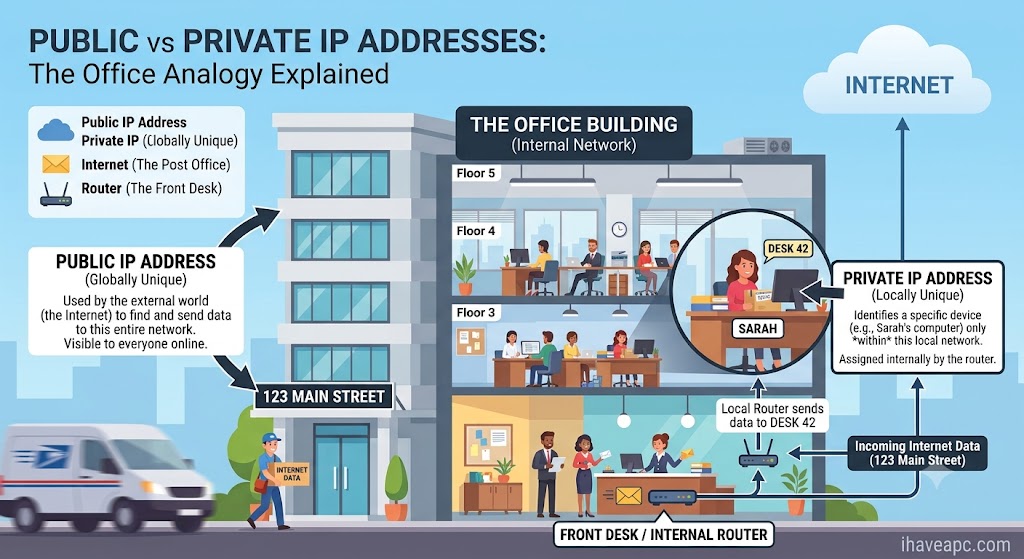
However, inside the building, there are hundreds of employees, each with their own specific desk number (like Desk 42).
- 123 Main Street is your Public IP address. It’s visible to the outside world, and anyone can use it to find the building.
- Desk 42 is your Private IP address. It only matters inside the building. The post office doesn’t know or care where Desk 42 is; the building’s front desk (your router) handles getting the mail to the right person.
Public IP Addresses: Your Network’s Face to the World
A public IP address is a unique identifier assigned to your entire network by your Internet Service Provider (ISP).
- It is globally unique: No two public networks in the world have the same public IP address at the same time.
- It is publicly accessible: It’s the exact address the rest of the internet uses to find your network and send data back to you.
Where they are used:
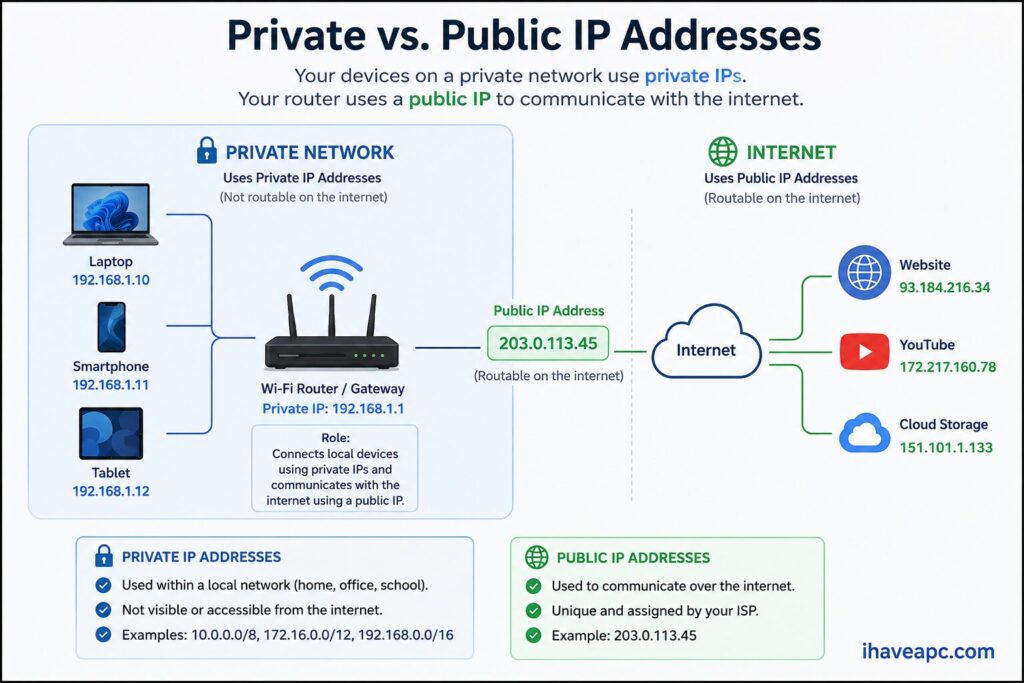
- Connecting a home to the internet: Your home router has one public IP address that represents all of your household’s devices to the outside world.
- Hosting websites: If you want people anywhere in the world to be able to visit a website you’ve built, the server hosting it needs a public IP address.
- Remote access: Accessing your home security cameras or office computer from a completely different city requires knowing your network’s public IP address.
By the way there are free online tools that can display your public IP address,
Private IP Addresses: The Inside Scoop
A private IP address is assigned to every individual device within your own local network (your home or office) by your router.
- It is locally unique: Your laptop, phone, smart TV, and smart fridge all have different private IP addresses on your home network so the router doesn’t mix up their data.
- It is NOT globally unique: Your phone might have the private IP 192.168.1.5. Your neighbor’s phone on their Wi-Fi could also be 192.168.1.5. Because your networks are completely separate, there is no conflict.
- It cannot be reached directly from the internet: If someone tries to target your phone’s private IP address from across the world, it won’t work. The wider internet can only see your router’s public IP.
Where they are used:
- Connecting devices internally: Allowing your laptop to send a document to your wireless printer without sending that data out to the wider internet.
- Conserving IP addresses: There are mathematically a limited number of IP addresses available in the world. By letting millions of homes reuse the same private IP addresses internally, we avoid running out of public ones.
- Security: Because private IPs aren’t directly reachable from the outside web, your devices are shielded behind your router (which acts as a security guard sorting the traffic).
At a Glance: Public vs. Private IPs
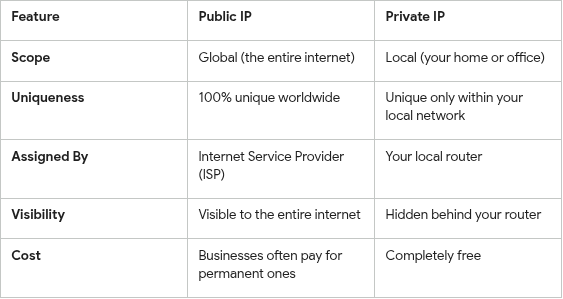
Hope that helps in understanding the basic difference between public and private IP addresses and when they are used.
Enjoy.
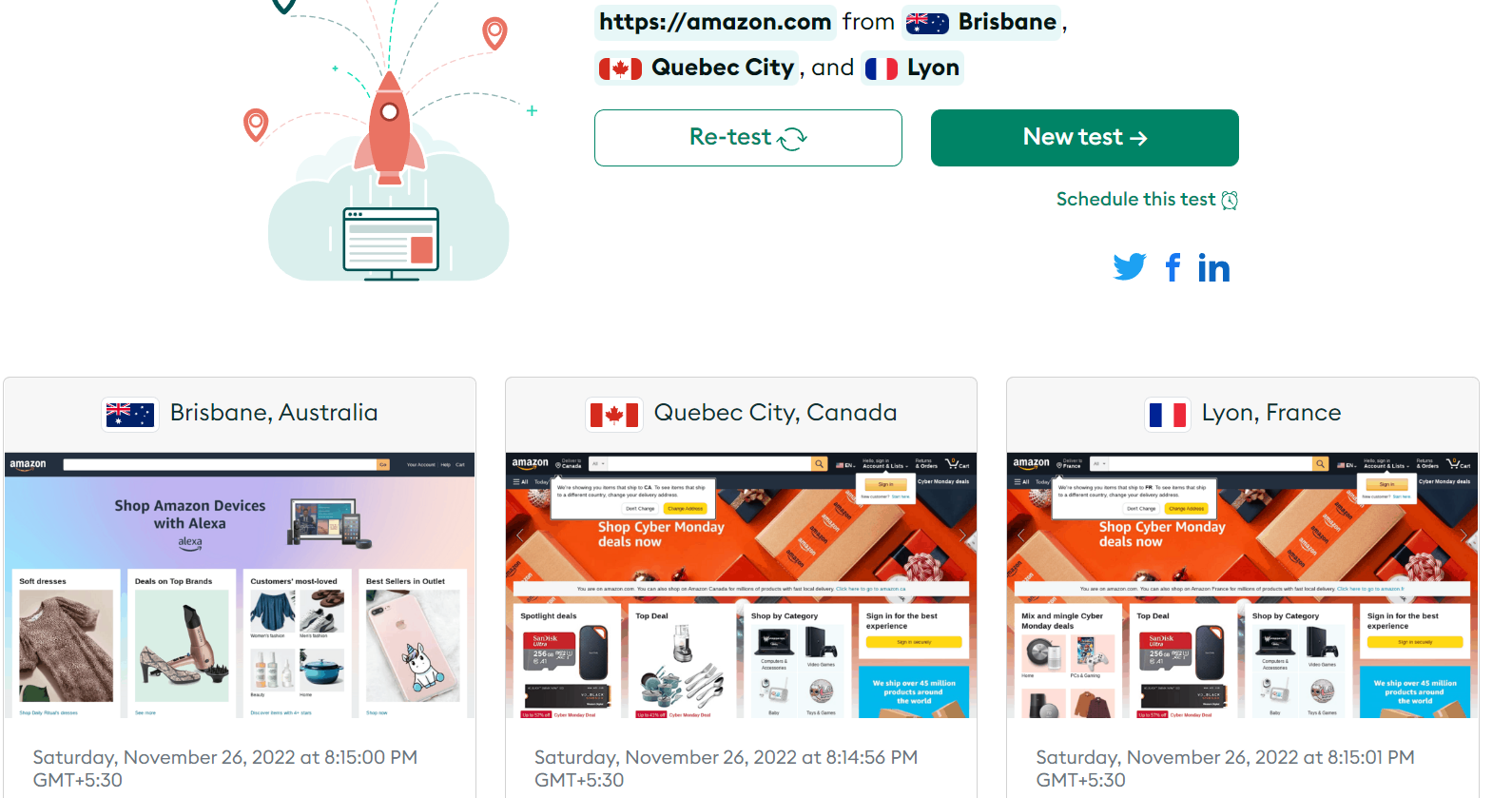
3 Useful Geo-Browsing Services To Know

HD Wallpapers Of Dexter, The Forensic Geek