Change Taskbar Location In Windows 10
September 21, 2016
Taskbar location in Windows 10 Anniversary Update can be changed from the default (bottom) to left, center, top or right.
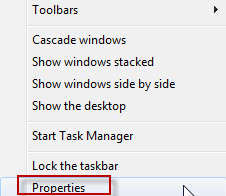
To do this, access Settings by right clicking on taskbar.

Click on Taskbar option from the Settings list

Select any location on screen as needed.

The taskbar will now be shifted.

All done.