How To Manage Your Microsoft 365 Subscription Settings
Microsoft 365 is a subscription-based service offered by Microsoft that provides users with a suite of productivity tools and services. It includes popular applications such as Word, Excel, PowerPoint, Outlook, and OneNote, as well as cloud services like OneDrive and SharePoint. It is designed to help individuals and organizations of all sizes collaborate, communicate, and get work done more efficiently and effectively.
If you want to manage your Microsoft 365 Personal subscription settings, you can directly do so from the Microsoft account portal.
Login to Microsoft account and click on the Manage Microsoft 365 Personal section.

This takes you to the subscription page. All your previous as well as the current Microsoft 365 subscriptions will be listed here.
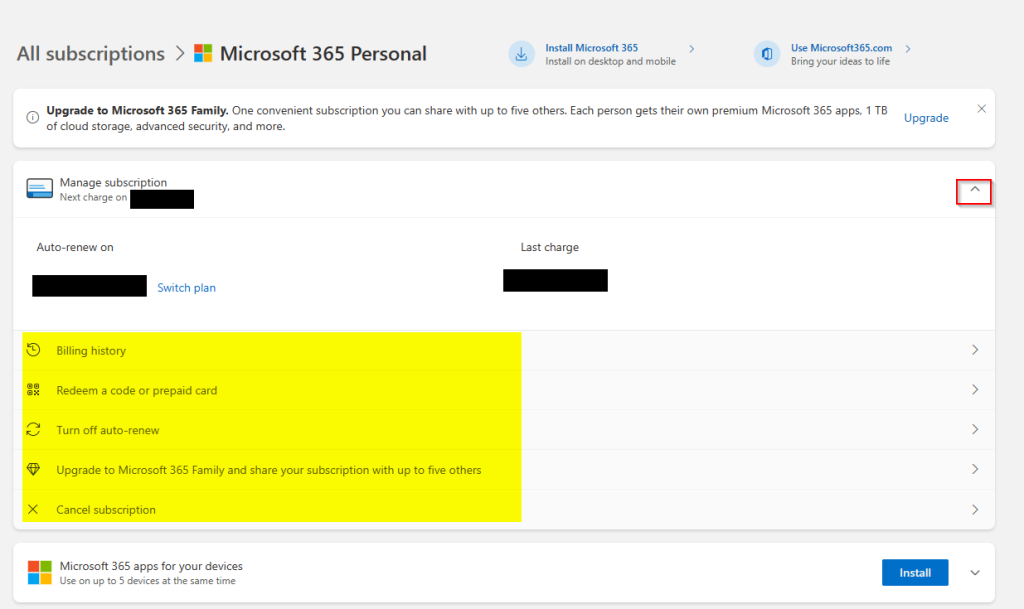
To change your subscription settings like turning off auto-renew, upgrade to a higher plan, redeem a code or cancel the subscription, click on the arrow next to Manage subscription.
By the way, you can also review and tweak your privacy settings for various Microsoft services as well as manage devices running Windows from here.
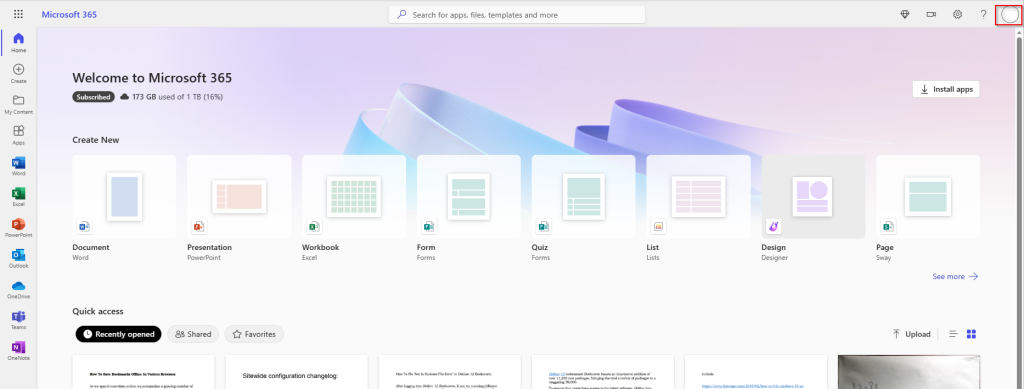
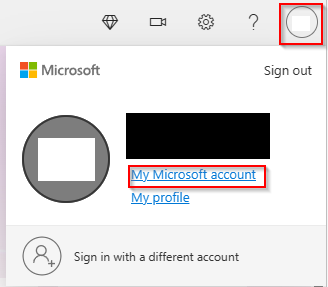
Alternatively, you can also login to office.com, click on your account icon and click on My Microsoft account. It too will redirect you to this page.
All done.