How to Change the Enter Key Behavior in Telegram Web
A common typing habit for many users when typing messages is pressing Enter to move to a new line.
However, in Telegram Web, pressing Enter by default doesn’t create a line break, instead, it instantly sends the message. This can lead to partially typed messages being sent by mistake.
Fortunately, Telegram Web allows you to change this behavior easily.
How to switch the Enter key behavior
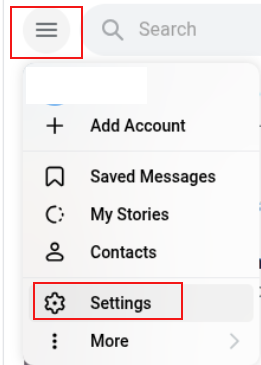
Log in to Telegram Web and click the menu (burger icon) at the top-left corner.
Open Settings.
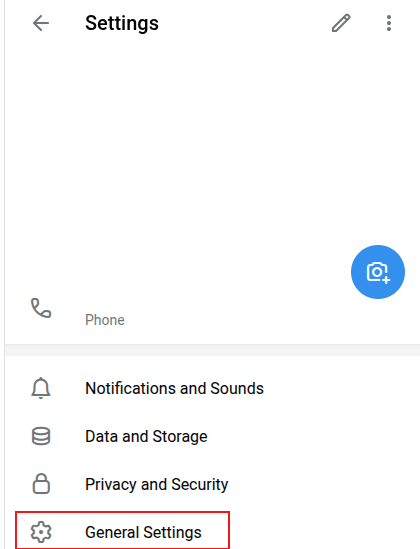
Go to General Settings.
Look for the Keyboard option, the default setting is Send by Enter.
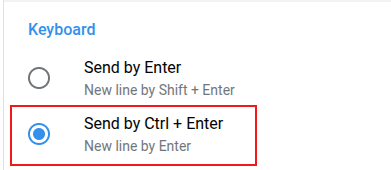
Change it to Send by Ctrl+Enter. Once updated, pressing Enter will add a new line, and messages will only be sent when you press Ctrl + Enter.
This simple adjustment helps prevent sending incomplete messages accidentally.

How To Turn Off Instant Personalization In Facebook

How To Monitor Network Bandwidth From Terminal In Linux Mint / Ubuntu