Understanding /dev/null in Linux
For new Linux users, some commands and file paths may seem confusing at first.
One such example is /dev/null, which you will frequently encounter in shell scripts, command tutorials, and troubleshooting guides. Although it looks like a normal file, it plays a unique and very useful role in Linux.
What is /dev/null?
/dev/null is a special device file in Linux that works like a black hole.

Anything you send to it simply disappears. It doesnt save data, display it, or store it anywhere. Think of /dev/null as a trash can that instantly destroys anything put in it.
Why does Linux need /dev/null?
When you run commands in Linux, they produce different types of output, such as:
- Standard output (stdout) – normal results of a command
- Error output (stderr) – messages about problems or failures
Sometimes, you dont want to see these messages on the screen or in logs. In those cases, you can redirect them to /dev/null so they are ignored.
Common Uses of /dev/null
1. Hiding normal command output
If a command prints too much information and you want to suppress it:
command > /dev/null
Redirect the output of a command to /dev/null instead of displaying it on the screen.

2. Hiding error messages
command 2> /dev/null
Redirect the error messages generated during the command output to /dev/null.

3. Hiding both output and errors
command > /dev/null 2>&1
Redirect the command output and error messages if any to /dev/null.

4. Emptying a file
cat /dev/null > filename.txt
Instead of manually editing a file to clear its contents, write it with /dev/null to clear all the contents in one go while keeping the file intact.

Practical Usage
Suppose you want to check if a website is reachable using ping, but you dont want to display the ping results:
ping c 1 ihaveapc.com > /dev/null 2>&1 && echo "Website is reachable"
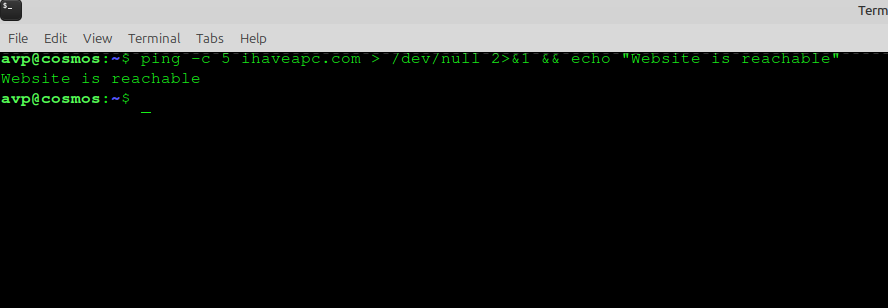
Here the ping output is discarded and the echo message appears only if the ping was successful.
How /dev/null Works Internally
It is a virtual character device file and managed by the Linux kernel. It does not use disk space or memory for storing data so data written to it is instantly discarded
You can see details with:
ls -l /dev/null
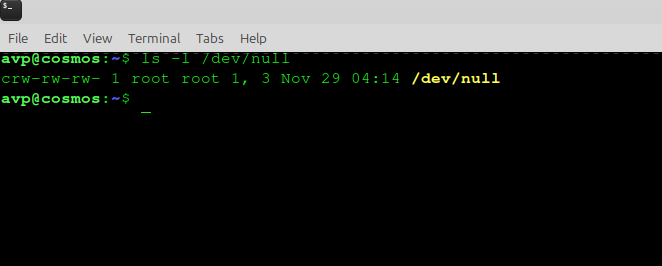
In simple words > /dev/null is a special place where you send information you dont need.
It helps keep command output clean, simplifies scripts, and prevents unnecessary clutter on your screen or in log files.
Conclusion
Understanding /dev/null is an important step in becoming comfortable with Linux and shell scripting.
It allows you to control what information you see and what you hide, making your workflow more efficient and organized.

How To Use Nautilus As A Dual Pane File Manager In Linux Mint / Ubuntu
How To Install Ubuntu Restricted Extras In Ubuntu 11.10 Oneiric Ocelot
