DKIM: The Digital Signature for Your Email
In the modern digital world, email is a primary form of communication. However, its widespread use also makes it a prime target for malicious actors attempting to spoof identities and send fraudulent messages.
DomainKeys Identified Mail (DKIM) is a crucial email authentication method designed to combat these threats.
Think of DKIM as a digital “wax seal” for your emails. It proves that an email genuinely originated from your domain and that its content has not been tampered with during transit.
How DKIM Works: A Step-by-Step Process
DKIM relies on a cryptographic system involving a pair of keys: a private key (kept secret by you, the sender) and a public key (published for everyone to see in your domain’s DNS records).
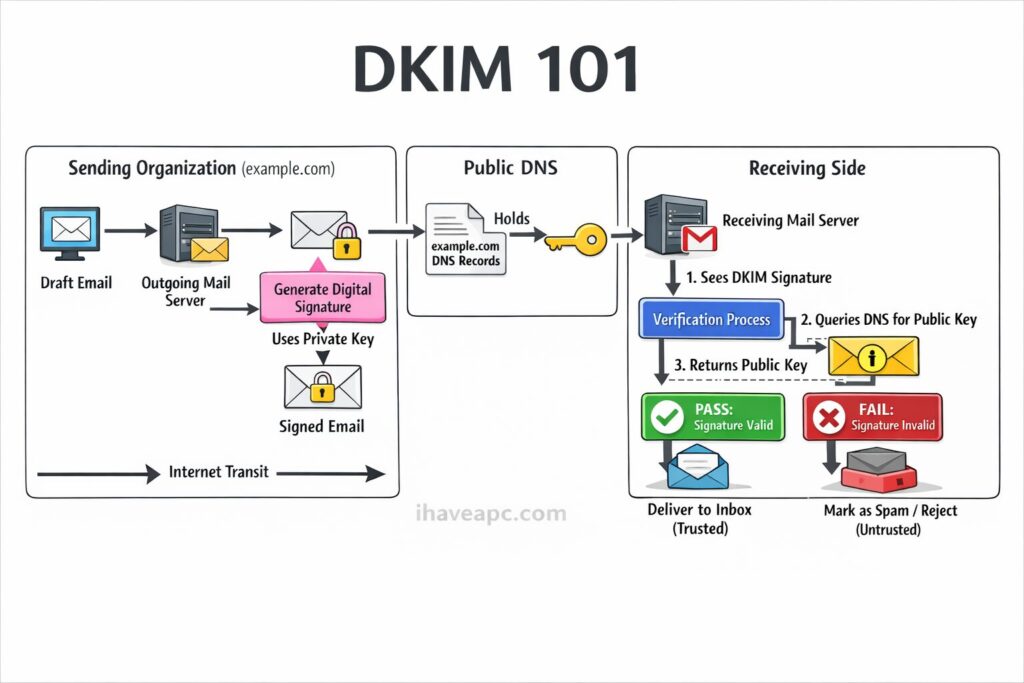
Here is a simplified breakdown of the process, followed by a visual guide.
- Setup & Key Generation: The administrator for a domain (e.g., example.com) generates a public/private key pair.
- Publishing the Public Key: The public key is placed in a special DNS TXT record for the domain. This is like putting your official signature specimen in a public registry.
- Signing the Email (Sending Side): When a user at example.com sends an email, the outgoing mail server uses the stored private key to generate a unique digital signature. This signature is created by “hashing” completely specific parts of the email, such as the “From” address, subject line, and message body. This unique string of characters is added to the email headers as the DKIM-Signature.
- Verifying the Signature (Receiving Side): The receiving mail server (e.g., Gmail, Outlook) sees the incoming email and its DKIM signature.
- DNS Lookup: The receiving server looks up the public key published in example.com’s DNS records.
- Validation: The receiving server uses this public key to decrypt the digital signature in the email header. It then performs its own calculation on the email’s content. If the two values match perfectly, the signature is valid. This proves two things:
- Authenticity: The email was truly signed by the owner of the private key (the domain example.com).
- Integrity: The parts of the message signed by DKIM have not been altered since it was sent.
Visualizing the DKIM Flow
Here is a cool infographic illustrating the journey of a DKIM-signed email.
The Need for Generating New DKIM Records (Key Rotation)
You might wonder, “If I have a DKIM record setup, why do I need to change it?” The practice of regularly changing your DKIM keys is known as key rotation, and it is a fundamental security best practice.
Here’s why you shouldn’t use the same DKIM key forever:
- Limit the Impact of a Compromise: The most critical reason. If a malicious actor were to somehow steal your private key, they could sign fraudulent emails that perfectly pass DKIM checks, making them look 100% legitimate coming from your domain. By rotating keys periodically (e.g., every 6 to 12 months), you ensure that any stolen key becomes useless once it’s taken out of service.
- Stay Ahead of Cryptographic Advances: Over time, computers become more powerful, making it theoretically easier to “crack” older, shorter cryptographic keys. Regularly generating new keys allows you to use modern, stronger key lengths (like 2048-bit instead of the older 1024-bit standard), staying ahead of potential attackers.
- Prevent Long-Term Impersonation: Without rotation, a compromised key could be used for years to conduct stealthy phishing campaigns aimed at your employees, customers, or partners. Regular rotation creates a smaller window of opportunity for attackers.
- Compliance and Best Practices: Many security standards and frameworks require regular rotation of cryptographic keys as part of a robust security posture. Following this practice demonstrates a commitment to email security.
How to Rotate Keys Safely: Key rotation involves generating a new key pair and publishing the new public key in your DNS alongside the old one for a short period. Your mail server then starts signing with the new private key. After a few days of allowing time for DNS caches around the world to update, you can safely remove the old public key record. This ensures no emails in transit fail validation during the switch.
Happy email authentication.

How To Locate Area Codes, Time Zones And Internet Suffixes Using Quick Info
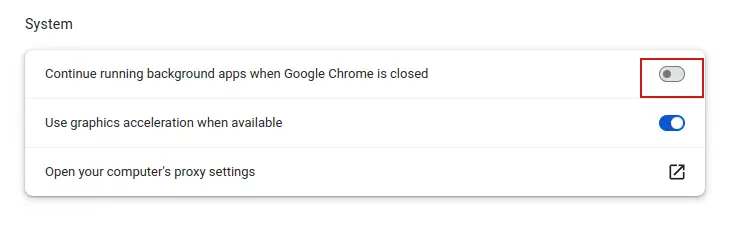
Understanding Chrome’s Continue Running Background Apps Feature