

Setting up a custom domain email like [email protected] can seem confusing if you’ve never worked with DNS settings before. But once you understand what each record does, it becomes straightforward.

Here’s a simple explanation of the essential DNS records you need to make your custom email work properly.
1. MX Record – Directs Incoming Mail
The Mail Exchanger (MX) record tells the internet where to deliver your emails. Without it, no one can send messages to your domain.
Example:
Type: MX
Name: @
Value: mail.yourmailprovider.com
Priority: 10
2. SPF Record – Authorizes Sending Servers
Sender Policy Framework (SPF) prevents spam and phishing by listing which mail servers are allowed to send email from your domain.
Example:
Type: TXT
Name: @
Value: v=spf1 include:spf.protection.outlook.com -all
Only include one SPF record per domain, and use the one provided by your email host.
3. DKIM Record – Adds a Digital Signature
DomainKeys Identified Mail (DKIM) helps ensure that your emails aren’t altered during transmission. It adds a digital signature to each message.
Example:
Type: TXT
Name: google._domainkey
Value: v=DKIM1; k=rsa; p=MIGfMA0GCSqGSIb3...
This improves email trust and reduces the chance of your messages going to spam.
4. DMARC Record – Protects Domain Reputation
Domain-based Message Authentication, Reporting, and Conformance (DMARC) works with SPF and DKIM to tell mail servers what to do if an email fails authentication.
Example:
Type: TXT
Name: _dmarc
Value: v=DMARC1; p=quarantine; rua=mailto:[email protected]; pct=100
Start with a p=none policy to monitor reports before enforcing stricter rules like quarantine or reject.
5. (Optional) CNAME Record – Domain Verification
Some email services require CNAME records to verify your domain or enable branded URLs for webmail access.
Example:
Type: CNAME
Name: mail
Value: mail.yourmailprovider.com
Summary of essential mail records
| Record | Purpose | Example Type |
| MX | Routes incoming email | MX |
| SPF | Authorizes outgoing mail servers | TXT |
| DKIM | Adds a digital signature | TXT |
| DMARC | Enforces mail authentication rules | TXT |
| CNAME (optional) | Domain verification / webmail | CNAME |
Quick Tip
Think of your email DNS records like this:
- MX = Mail delivery address
- SPF/DKIM = ID verification
- DMARC = Security policy
Once you add these records correctly in your domain DNS settings, your custom email will send and receive messages reliably and your domain reputation will stay protected.
To check if the DNS changes have taken place, you can use one of the many online tools available like MX Toolbox.
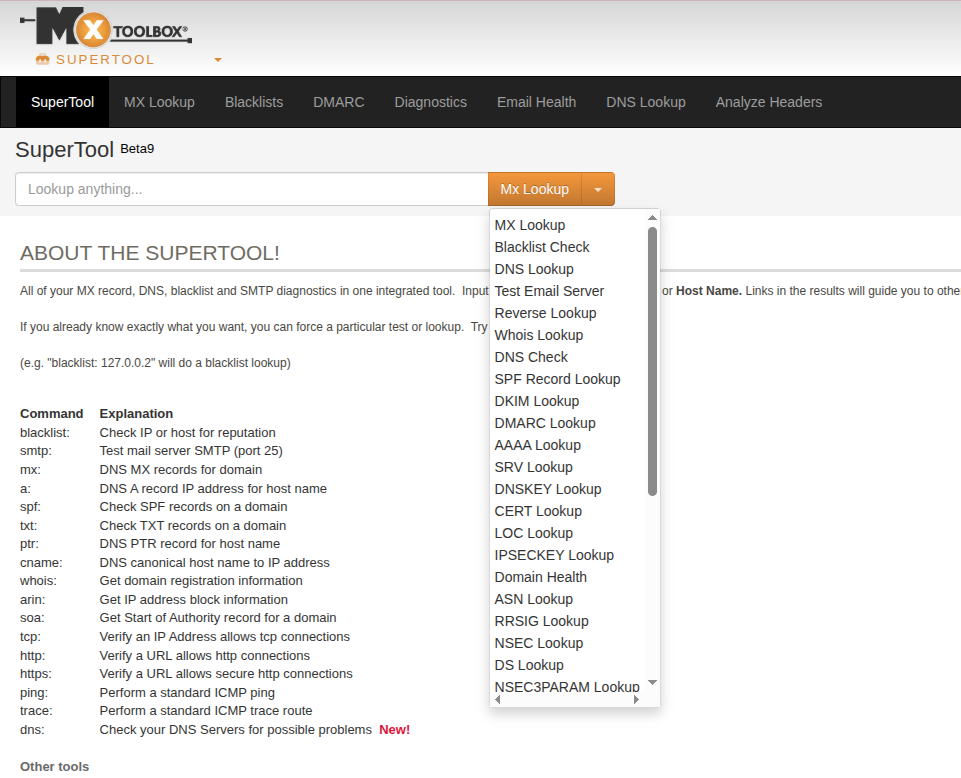
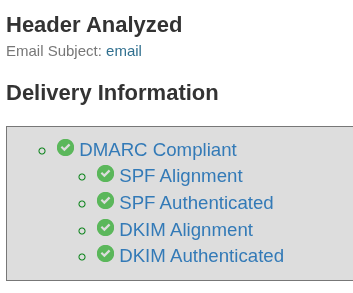
You can also verify email deliverability with it. Send a test email as instructed to generate a detailed report about your email configuration.
Happy emailing.
[…] Technical Benefit: Setting up email authentication protocols like SPF (Sender Policy Framework), DKIM (DomainKeys Identified Mail), and DMARC can be incredibly […]
[…] your domain. This is great for webmasters who would like to know if their domains are compliant for sending and receiving emails and if they should fix […]
[…] of DKIM as a digital “wax seal” for your emails. It proves that an email genuinely originated from your domain and that its content has not been tampered with during […]