How to Configure DKIM Settings in Google Workspace
DKIM (DomainKeys Identified Mail) acts as a digital signature for your outgoing emails, proving to recipient servers that your message hasn’t been tampered with and truly originated from your domain.
Why DKIM?
Think of it like a wax seal on a royal decree: if the seal is intact, the letter is trusted; if it’s missing or broken, the recipient (like Gmail, Outlook, or Yahoo) might toss it straight into the spam folder.
It uses public-key cryptography, where your email server signs the message with a private key, and the receiving server verifies it using a public key published in your DNS records.
Google Workspace makes this technical process remarkably painless by acting as your “cryptographic assistant.” Instead of you having to manually generate complex key pairs via command line, the Google Workspace Admin console generates the unique TXT record for you with a few clicks.
You simply copy-paste that value into your domain provider’s settings (like GoDaddy or Cloudflare). Once DNS propagation is complete, you just have to start authentication in your Google Workspace DKIM settings, and Google Workspace takes over the heavy lifting of automatically signing every email you send without you ever having to look at a line of code again.
DKIM Setup in Google Workspace
Here is how to do that:
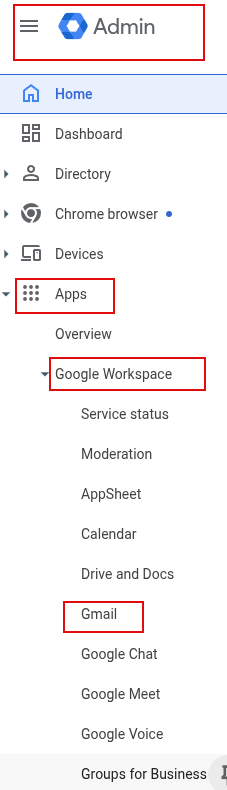
Login to Google WorkSpace Admin console. Click on Apps > Google Workspace > Gmail.
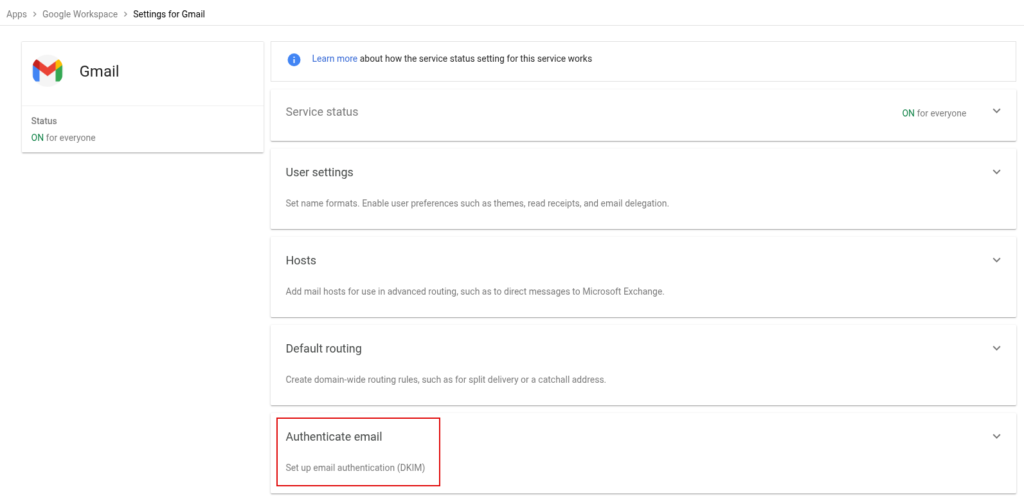
From the Gmail section click on Authenticate email.
Over there you will find DKIM authentication settings. For adding a new DKIM record or changing the existing record, you can rotate them by clicking on the GENERATE NEW RECORD button.
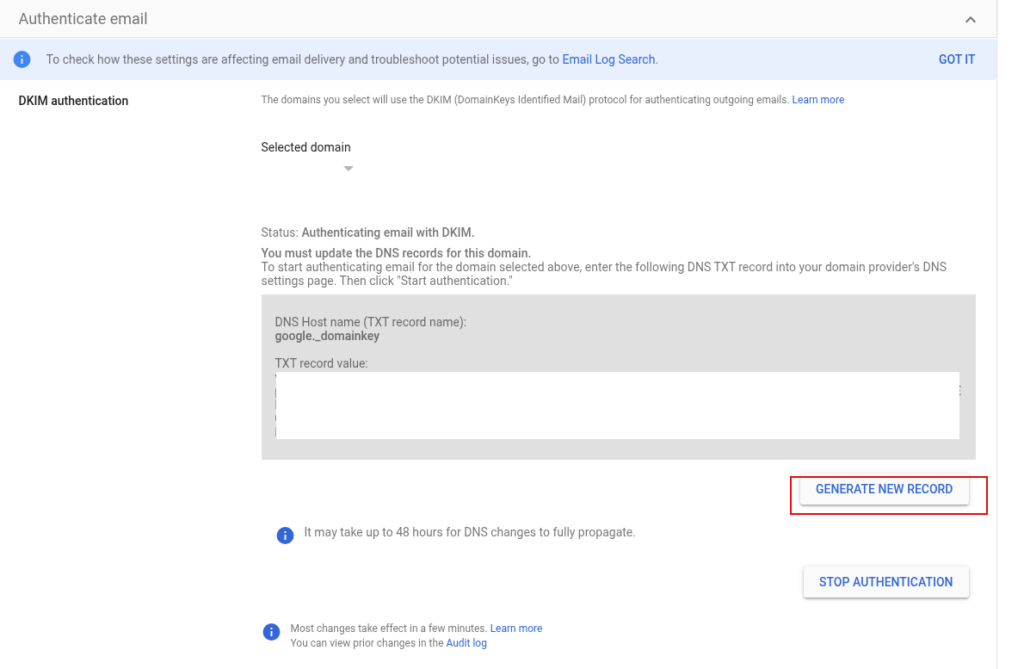
It is a good security practice to regularly rotate/change DKIM records, and you can do that in Google Workspace from here.
To stop authenticating emails with DKIM, click the STOP AUTHENTICATION button. This is when you change your email provider.
Once the DKIM record is added, verify that the emails are being successfully authenticated. An online email deliverability testing tool like MX Toolbox can be useful for this.
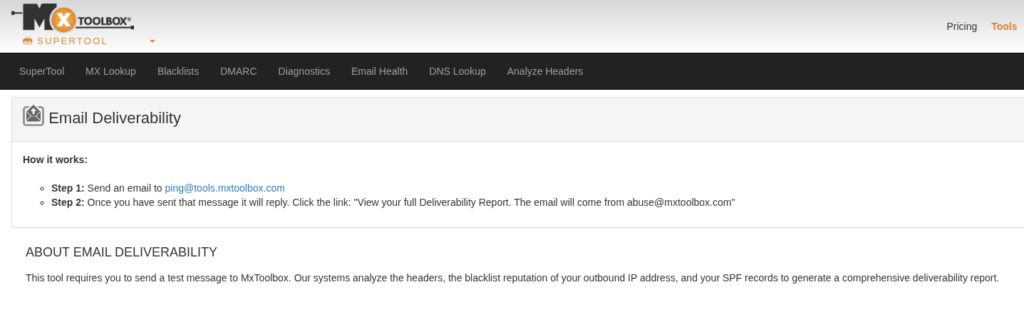
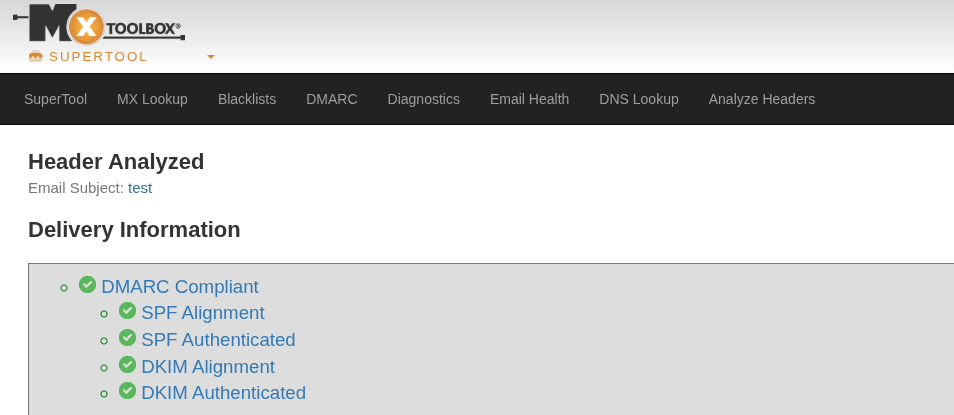
So overall, configuring DKIM settings in Google Workspace is easy.
Happy emailing.

Orpheus: A Cool Command Line MP3 Player For Linux Mint / Ubuntu
Exaile: A Really Sleek Music Player For Linux Mint