Telegram Web: Change File Size Limits for Auto-Downloaded Media
Telegram is a fast, secure, and highly popular messaging app. Because it is cloud-based, your messages, photos, and files are saved online rather than taking up space on your phone. This means you can log in and chat from multiple devices at the exact same time.
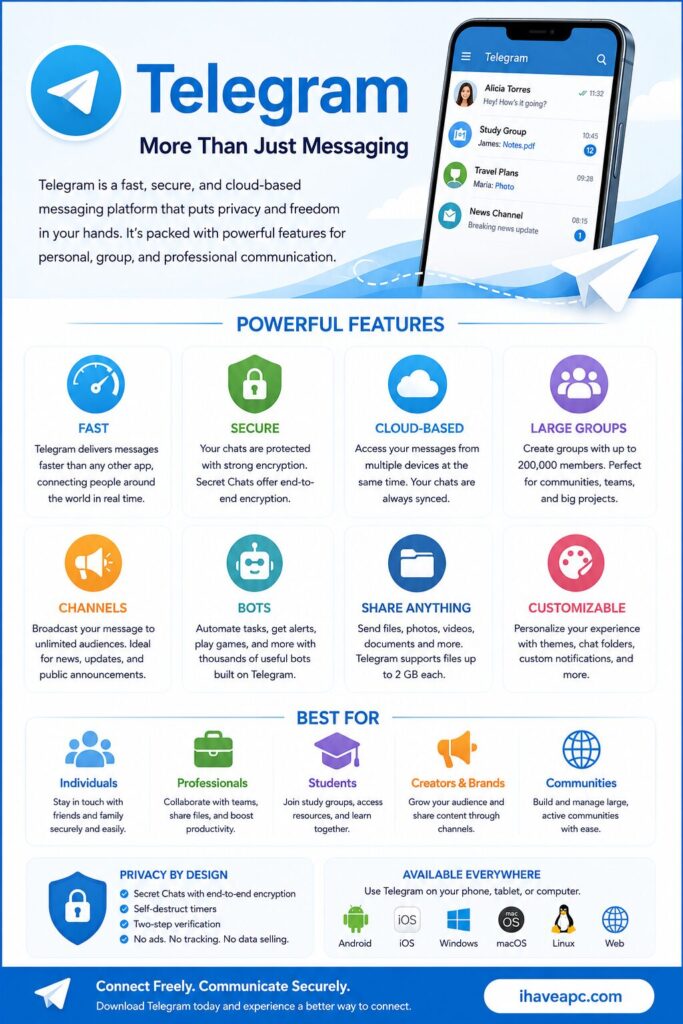
Telegram Web is the browser version of the app. It allows you to chat directly from your computer or tablet without needing to download anything.
Here is what makes the web version so convenient:
- Completely Independent: You can use it to message people even if your smartphone is turned off, dead, or completely disconnected from the internet.
- Instant Syncing: Your chats update in real-time across both your phone and your browser.
- Built for Productivity: It makes typing on a full keyboard effortless and allows you to quickly share files.
It also has the option to configure file download size when auto-downloading for media is enabled. This is simple to set and here is how to do that.
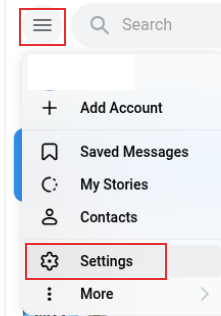
Login to Telegram Web and click on the top left burger icon, choose Settings.
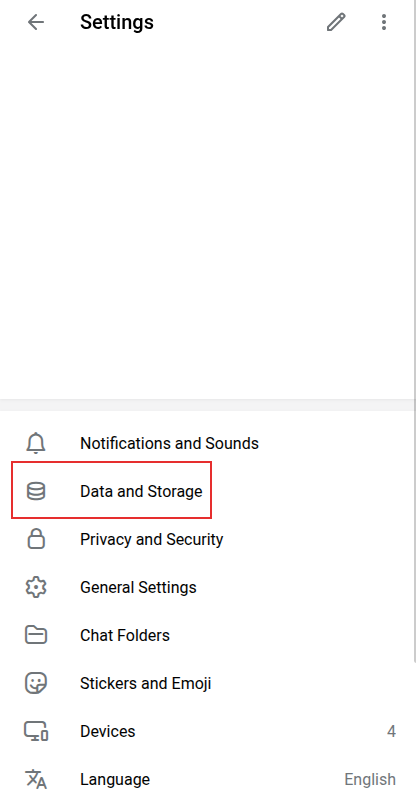
Select Data and Storage.
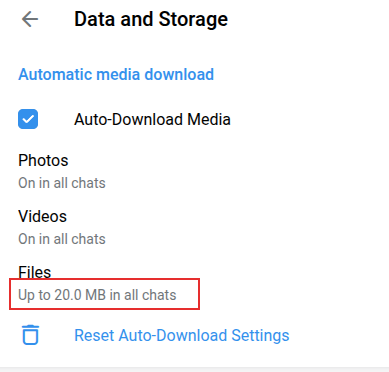
Check that Auto-Download Media option is enabled. Then, click on the Files option.
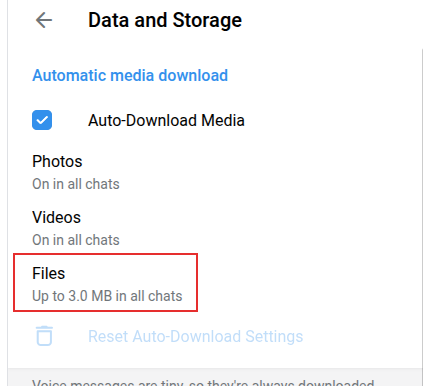
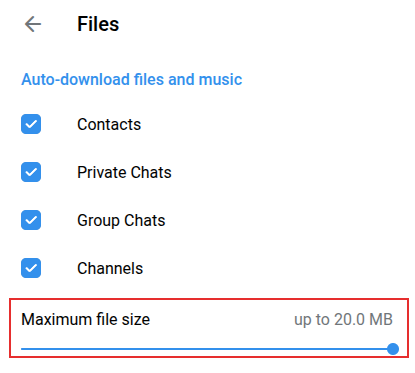
You can then toggle auto-downloading for Contacts, Private Chats, Group Chats and Channel. By default, the download size is set to 3 MB.
Change the slider to the required file download size with a maximum limit of 20 MB.
At any point in time, you can reset to the default download settings for auto-downloaded media if needed.
All done.

Digitally Sign PDFs Using New & Improved Able2Extract Professional 14

Stunning HD Wallpapers For Your Desktop #22