5 Online Tools to Check Web Page Compression
In the world of web performance, every millisecond counts. If your pages take too long to load, users bounce, conversion rates tank, and search engines push you down the rankings. While optimizing images and minifying scripts are common practices, one of the easiest, high-impact wins a webmaster can implement is server-side text compression.
Two technologies dominate this space: Gzip and Brotli.
Below is a breakdown of what they are, how they work, and 5 free online tools to verify your server is serving them correctly.
What is Gzip and Brotli Compression?
At their core, Gzip and Brotli are data compression algorithms used to shrink web assets, specifically text-based files like HTML, CSS, JavaScript, and JSON before they are sent over the network.
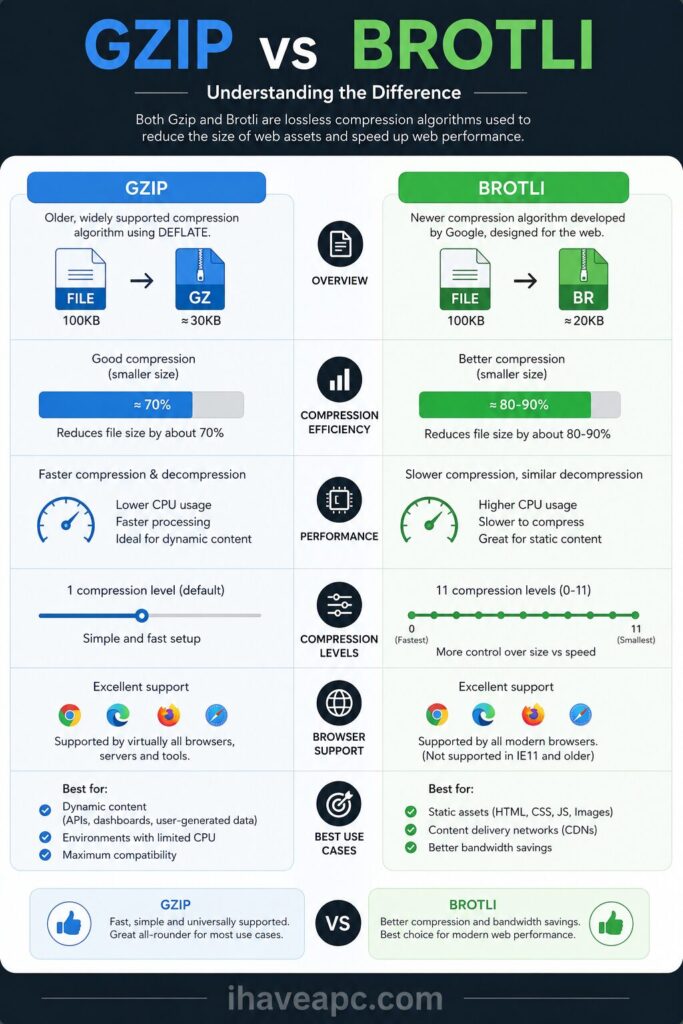
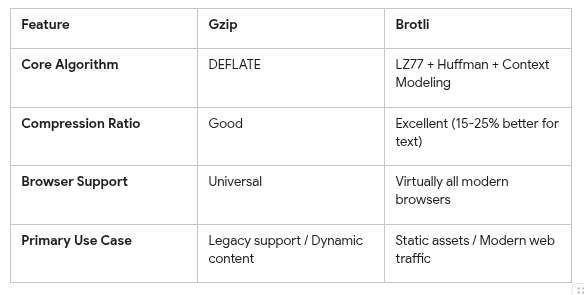
Gzip: Built on the classic DEFLATE algorithm (a mix of LZ77 and Huffman coding), Gzip has been the industry standard for decades. It is incredibly fast at decompressing files and boasts universal compatibility across every browser in existence.
Brotli: Introduced by Google, Brotli is a modern, open-source algorithm designed specifically for the web. It uses a contemporary variant of LZ77 combined with a static pre-defined dictionary of common web words. This allows it to compress text files 15% to 25% smaller than Gzip, resulting in significantly faster page loads.
Quick Comparison
How It Works Behind the Scenes
The process relies on a quick, automatic handshake between the user’s browser and your web server:
- The Request: A user visits your site. Their browser sends an HTTP request including a header like Accept-Encoding: gzip, br. This tells your server, “Hey, I can handle both Gzip and Brotli.”
- The Compression: If your server is configured properly, it grabs the requested HTML, CSS, or JS file and compresses it on the fly (or serves a pre-compressed static version).
- The Response: The server sends the shrunk file back with a Content-Encoding: br (or gzip) header to let the browser know how to open it.
- The Render: The browser decompresses the file instantly in a fraction of a millisecond and renders the webpage for the user.
Webmaster Note: If your server doesn’t support Brotli, it will gracefully fall back to Gzip. If it supports neither, it sends the full, uncompressed file wasting bandwidth and slowing down your visitor’s experience.
5 Online Tools to Test for Gzip/Brotli Compression
So if you want to ensure your server configuration is operating at peak efficiency, use these five free online tools to audit your live URLs.
1.GiftOfSpeed (Gzip/Brotli Compression Test)
GiftOfSpeed offers a dedicated, sleek tester that specifically checks if your site uses Gzip or Brotli.
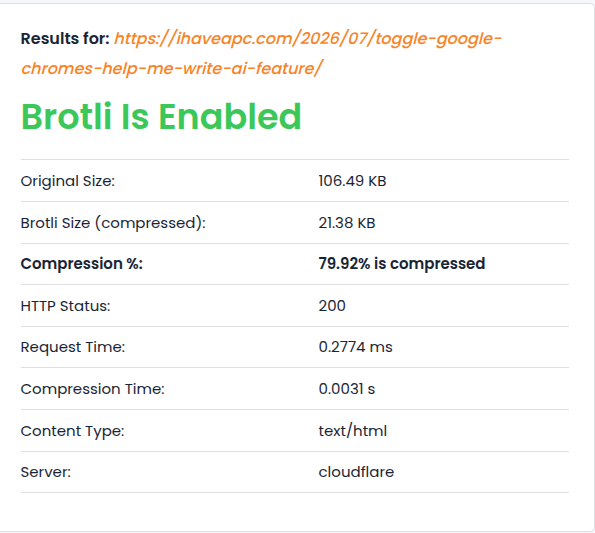
Why it’s great: It doesn’t just give you a “Yes/No” answer. It displays your original file size versus the compressed file size, showing you exactly how much bandwidth (often up to 70% to 80%) you are saving.
2.Check Gzip Compression
If your primary goal is to just verify that your modern Brotli configuration is enabled and running smoothly, Check Gzip Compression is the specialist tool you need.
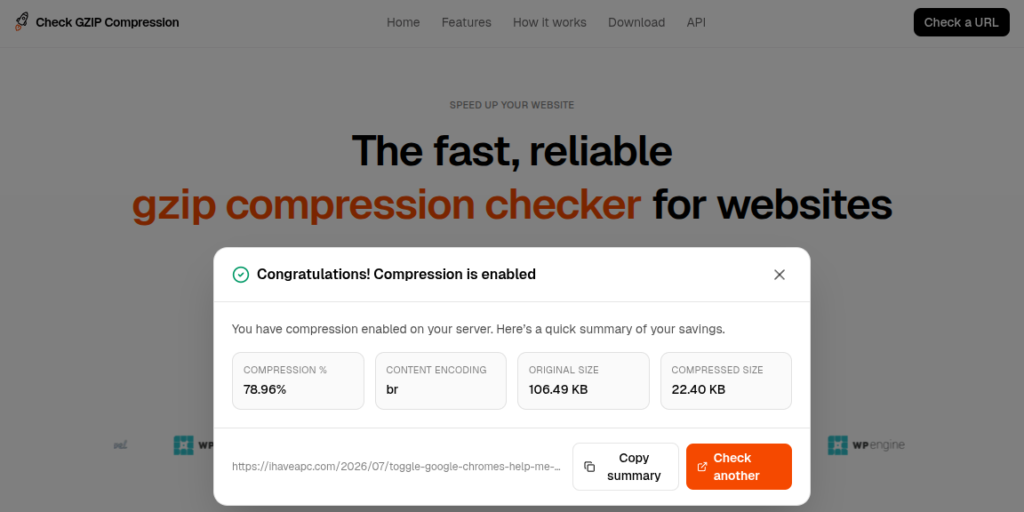
Why it’s great: It quickly tells you whether you have compression enabled or not without going deep into other aspects.
3.SEOptimer (Webpage GZIP Test Tool)
SEOptimer is a broader SEO audit platform that provides a laser-focused, free Gzip and compression testing module.
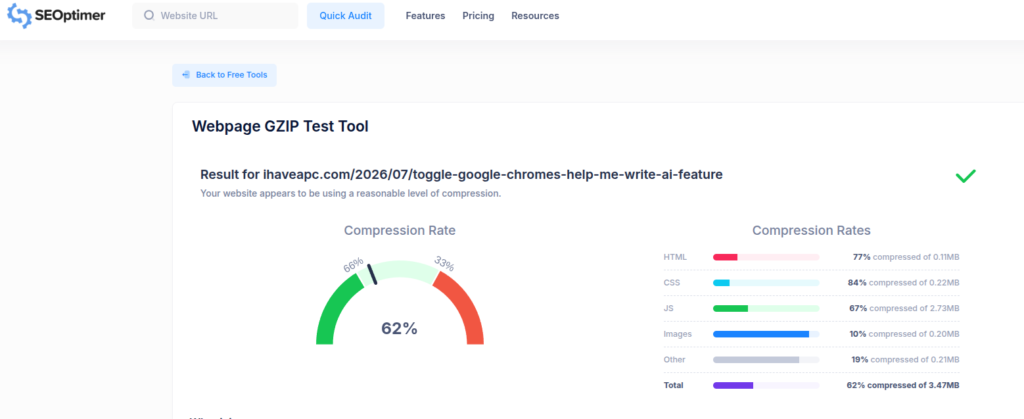
Why it’s great: It handles multiple compression types and gives actionable, beginner-friendly advice on how to fix issues if it discovers your server configuration is partially broken (e.g., compressing HTML but forgetting to compress CSS or JS files).
4.APIVoid (Brotli Compression Checker)
APIVoid provides a clean, developer-friendly network tool designed to quickly ping a URL and verify its Brotli status.
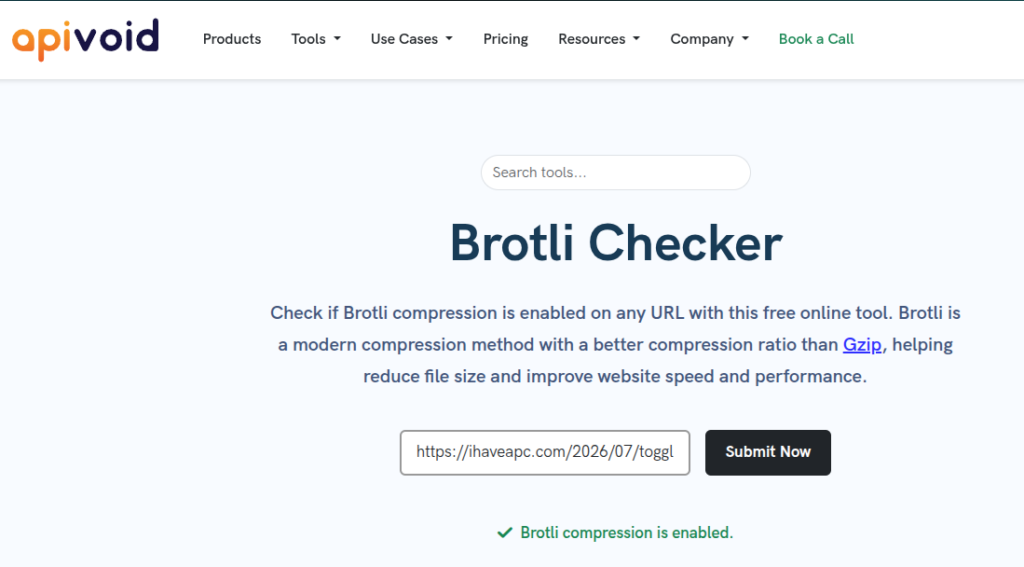
Why it’s great: It’s fast, lightweight, and stripped of unnecessary bloat. It tells you instantly if the server successfully returned a Brotli-encoded response, making it an excellent option for quick sanity checks during server updates.
5.Toolsaday (Check Gzip/Brotli Compression)
Toolsaday offers an intuitive performance tool designed to verify both Gzip and Brotli deployment seamlessly.
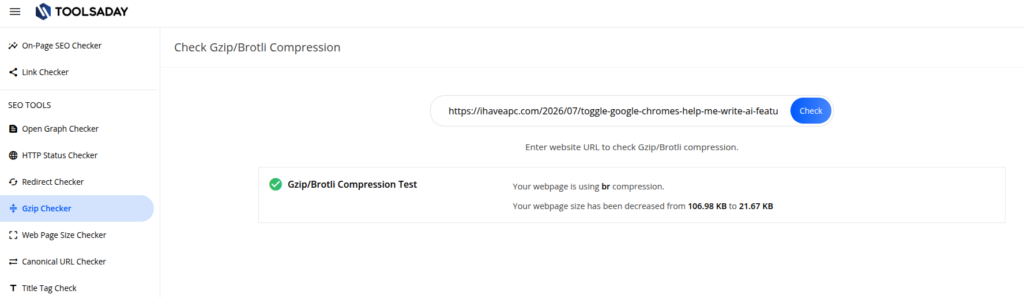
Why it’s great: The results are presented in a highly readable, straightforward format. It serves as a great dual-checker to confirm that your fallback configurations work perfectly alongside your primary compression settings.
The Takeaway
Enabling compression is non-negotiable for modern webmasters. While Gzip provides a reliable safety net, setting up Brotli on your server (whether via Nginx, Apache, or a CDN) is a proven way to squeeze extra savings out of your asset files.
Use the tools above to audit your pages today, your users (and your Core Web Vitals) will thank you.
Happy compressing.
How To Easily Manage Your System’s IP In Windows
Automatically Add Wunderlist Tasks To Microsoft To-Do
