Beer Loving Geek Vs. Wife

Beer loving geek vs. wife: 😀

Beer loving geek vs. wife: 😀
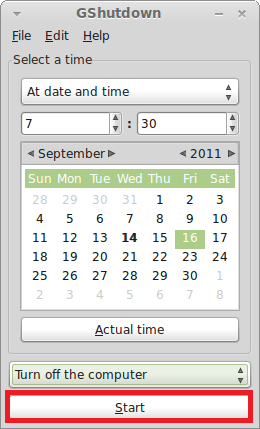
Here’s how to perform a scheduled shutdown / reboot / session end in Linux Mint / Ubuntu PC: 1. Issue the following command at the terminal – sudo apt-get install gshutdown 2. After the installation is complete, click on ‘Menu>Accessories>GShutdown’…

Simple and elegant. 🙂 [ Image courtesy : Redbubble ]

Kindle For PC application by Amazon is a free to use Kindle reading tool. Download it from here. The installation is pretty simple and once installed, it will show up with main interface as below : Books available for reading…

Call Of Duty: Funny Warfare 😀

Here’s how to install and use on-screen keyboard in Linux Mint / Ubuntu: 1. Issue the following command at the terminal to ensure that ‘onboard’ is installed in your Linux Mint / Ubuntu system – sudo apt-get install onboard 2.…