The default installation of Debian doesn’t include proprietary packages or drivers. So after a fresh install, you may experience a lack of hardware functionality because non-free firmware isn’t installed.
It can however be changed, here’s how :
First, open the Debian repository list using any text editor like nano/vim :
[cc lag=”bash”]
sudo nano /etc/apt/sources.list
[/cc]
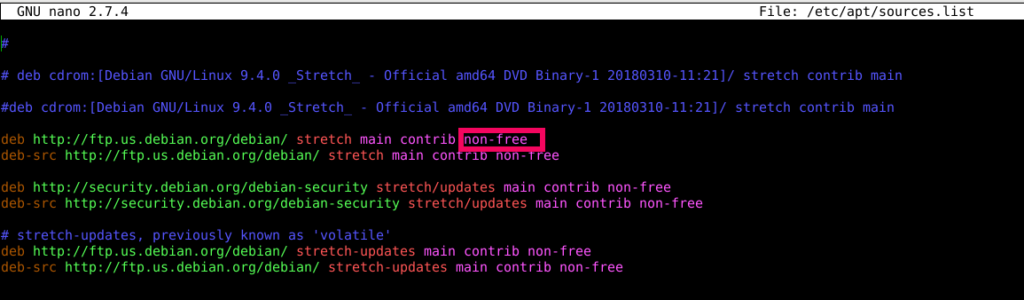
Next, add the word non-free at the end.
Then update:
[cc lang=”bash”]
sudo apt-get update
[/cc]
Now, the installation of non-free drivers/blobs will be supported. To install such firmware blobs :
[cc lang=”bash”]
sudo apt-get install firmware-linux-nonfree
[/cc]

Reboot to apply the changes.
All done.