Ditch APT: 4 Cool Things You Can Do With Nala in Linux
If you are running a Debian-based distro like Ubuntu, Linux Mint, Pop!_OS, or Debian itself, you’re probably intimately familiar with the standard apt command. It gets the job done. But let’s be honest: its terminal output can be a cluttered mess of text, and downloading multiple packages sequentially can sometimes feel painfully slow.
Enter Nala.
Nala is a rising star in the Linux community. It’s a modern front-end for libapt-pkg. Essentially, it does everything apt does, but it does it better, faster, and with a significantly prettier interface. If you love discovering nifty Linux terminal utilities (much like exploring the quirks of the ncal command), you are going to absolutely love this.
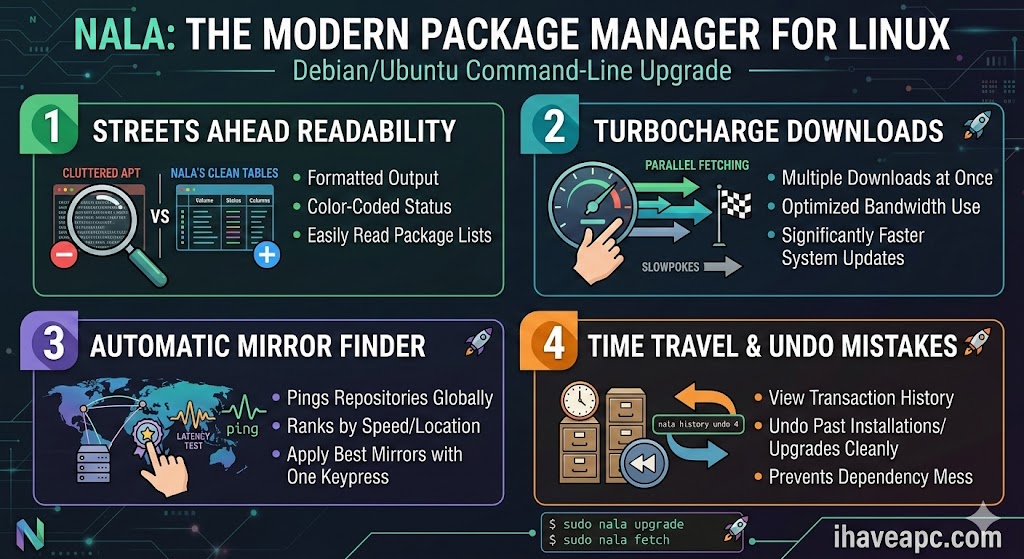
Here are some cool things you can do with the Nala command in Linux.
First Things First: Installing Nala
Before we dive into the cool stuff, you need to have it on your machine. Because it’s become such a trending favorite, Nala is available right in the official repositories for newer Debian/Ubuntu releases.
Just fire up your terminal and run:
sudo apt update


sudo apt install nala
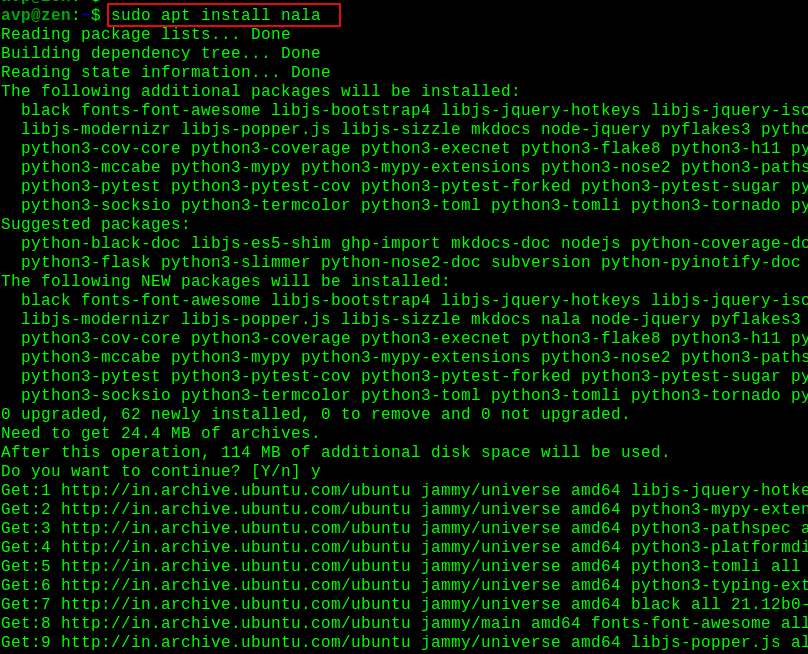
(Note: If you are on an older release where it isn’t in the default repos, you can also grab it via the Volian Scar repository, but for most modern setups, the above works perfectly).
Now, let’s get to the fun part.
1. Read Terminal Outputs Without Squinting
When you run sudo apt upgrade, it typically dumps a massive, unformatted wall of text onto your screen. Nala fixes this by structuring the output into clean, readable, color-coded tables.
Try running your next system update with:
sudo nala upgrade
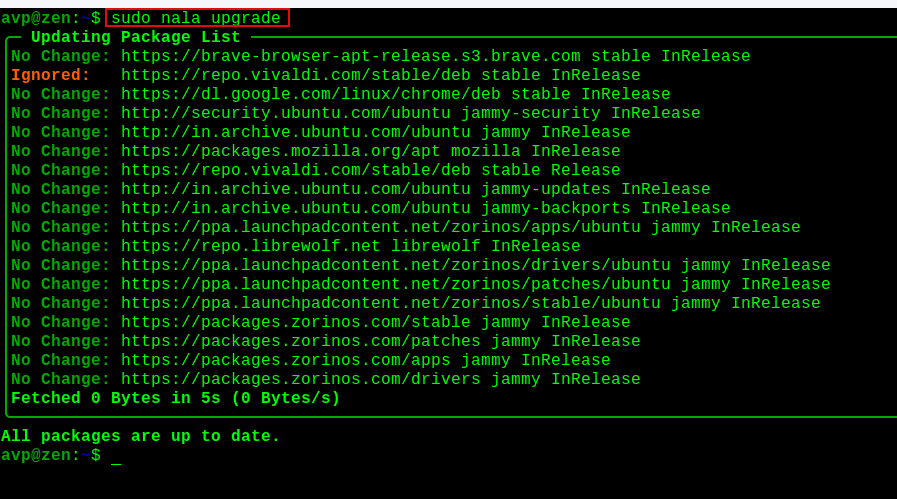
Instead of a giant text blob, Nala draws actual borders on your screen. It gives you a beautifully neat list of what’s being upgraded, what’s being newly installed, and the exact size of the packages. It is incredibly easy on the eyes and makes reviewing system changes a breeze.
2. Turbocharge Your Downloads (Parallel Fetching)
One of the biggest limitations of standard apt is that it downloads packages one… by… one. Nala solves this by supporting parallel downloading out of the box.
By default, Nala will download up to 3 packages simultaneously per mirror. This means your large system updates and hefty software installations will finish in a fraction of the time, letting you take full advantage of your internet connection’s bandwidth.
3. Automatically Find the Fastest Mirrors
Usually, finding the best repository mirror involves manually editing your sources.list file or clicking through a clunky GUI tool. Nala has a built-in utility to do this for you right from the command line.
Simply run:
sudo nala fetch
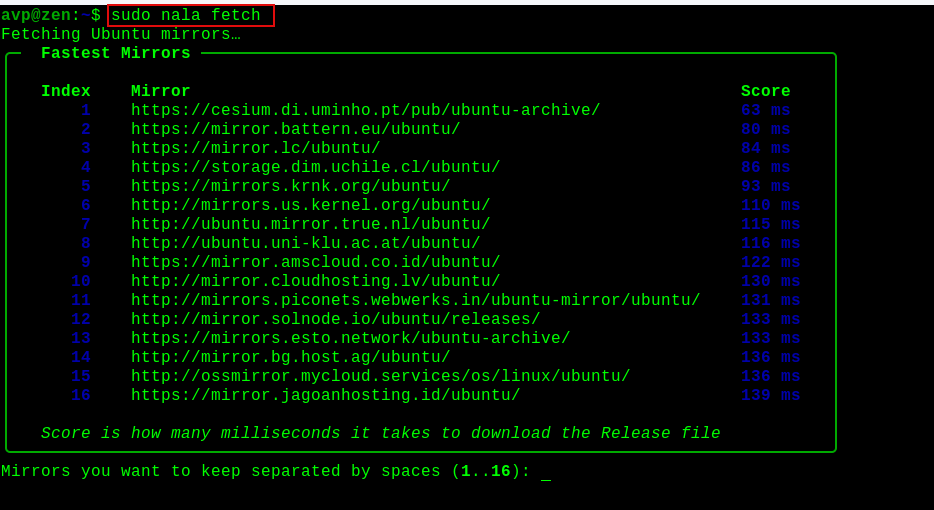
Nala will automatically ping the available Debian or Ubuntu mirrors, test their latency, rank them, and select the fastest ones for your specific geographic location. It will then display a list and ask if you want to apply them.
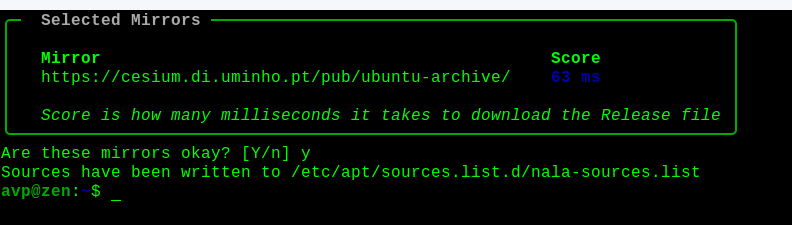
Just hit y, and you’ll instantly have optimized download speeds.
4. Time Travel with Nala History (Undo Mistakes!)
This is arguably the coolest feature Nala brings to the table. Have you ever installed a package, along with its 30 obscure dependencies, only to realize you don’t actually want the software? Removing it cleanly with standard apt can sometimes leave orphaned packages behind if you aren’t careful.
Nala treats package management like a version control system. It keeps a history of every transaction. You can view your past actions by typing:
nala history
You’ll see a numbered list of your recent installations, upgrades, and removals.
If you want to completely undo or rollback a specific transaction (let’s say transaction #4 was that bloated software you regret installing), you just run:
sudo nala history undo 4
Nala will reverse exactly what happened in that specific transaction, cleanly stripping out the packages and dependencies that were added without breaking your system. It’s basically a time machine for your package manager!
Wrapping Up
While apt will always be the faithful, rock-solid engine running under the hood of your Debian-based system, there’s no reason you shouldn’t treat yourself to a better driving experience. Nala makes package management visually pleasing, significantly faster, and much more forgiving of everyday mistakes.
Give it a try on your next system update. Once you see those formatted tables and blazing-fast parallel downloads, you might never type apt again!
Happy Nala-ing.

Change MAC Address In Linux Mint With This Command Line Tool

How To Access Linux Mint / Ubuntu Shared Folders From Windows
