Google Workspace: IT Setup Made Easy for Small Businesses
For a small business owner, launching and managing a company is a masterclass in wearing multiple hats. You are the CEO, the salesperson, the accountant, and all too often, the accidental Chief Information Officer (CIO).
Setting up a secure, reliable, and professional digital infrastructure like custom email domains, cloud storage, collaboration tools, and user management traditionally required significant technical expertise or expensive IT consultants. This steep learning curve can stall momentum.
Fortunately, Google Workspace serves as a turn-key Software-as-a-Service (SaaS) platform that bridges the gap between enterprise-grade technology and small business simplicity.
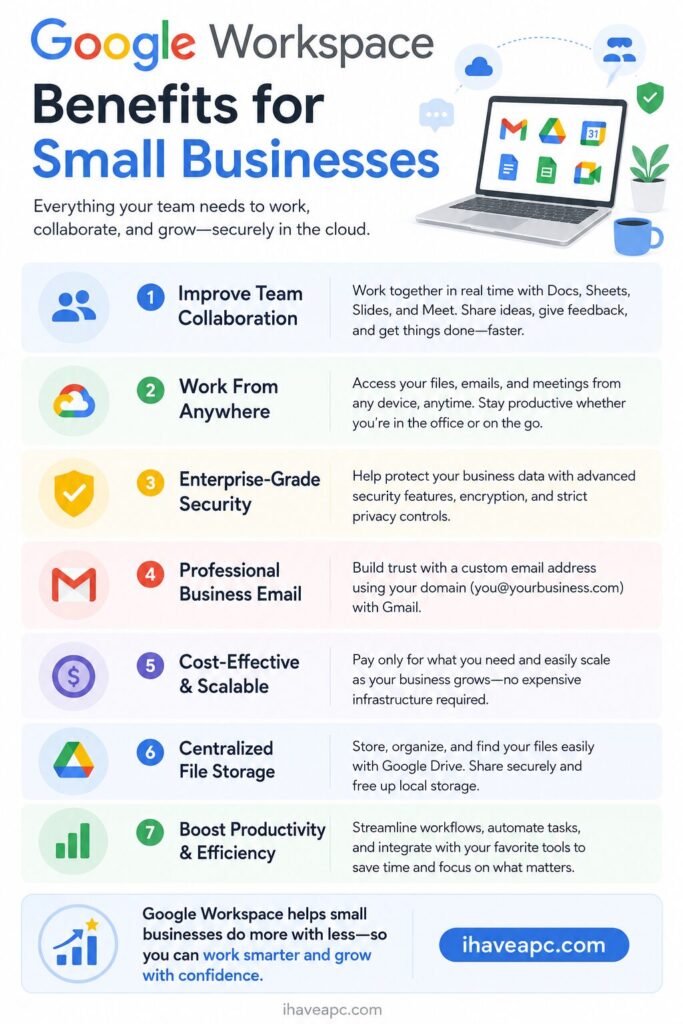
Here is a technical yet accessible breakdown of why Google Workspace is the ideal fit for growing businesses.
The Core Architecture: What Makes it “Turn-Key”?
In traditional IT, setting up a business network requires configuring separate servers for mail, file storage, and identity management. Google Workspace consolidates this into an integrated, cloud-native ecosystem.
When you sign up, Google acts as your hosting provider, security team, and infrastructure manager. You don’t need to worry about server uptime, patch management, or hardware maintenance. It is operational right out of the box, requiring only a domain name to get started.
Key Features and Their Technical Benefits
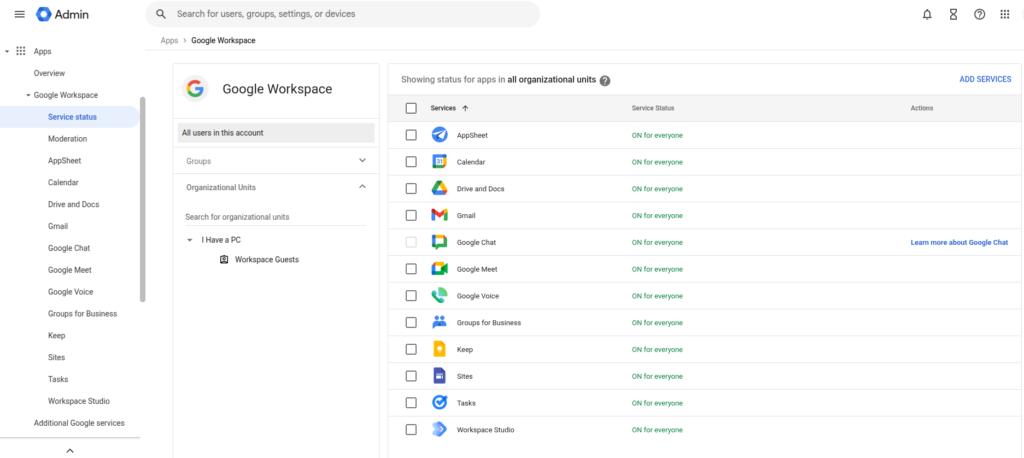
Google Workspace isn’t just a collection of apps; it is an interconnected environment designed to handle the foundational pillars of business operations.
Professional Identity and Communication (Gmail)
The Feature: Custom email addresses matching your domain (e.g., [email protected]) powered by the familiar Gmail interface.
The Technical Benefit: Setting up email authentication protocols like SPF (Sender Policy Framework), DKIM (DomainKeys Identified Mail), and DMARC can be incredibly complex. Google Workspace simplifies this by providing straightforward DNS records you copy-paste into your domain registrar.
This ensures your emails actually reach your clients’ inboxes instead of getting flagged as spam. Furthermore, it includes enterprise-level spam, malware, and phishing protection automatically.
2. Centralized Cloud Storage and File Systems (Google Drive)
The Feature: Cloud-based storage with “Shared Drives” for team-wide access.
The Technical Benefit: Traditional file servers require Local Area Networks (LANs) or complex VPNs for remote access. Google Drive operates on a global cloud infrastructure, meaning your files are accessible from any device securely. Shared Drives shift data ownership from the individual employee to the company itself. If a team member leaves, the data stays exactly where it belongs, preventing data loss.
3. Real-Time Collaboration Engines (Docs, Sheets, Slides)
The Feature: Web-based productivity applications that replace traditional, localized desktop software.
The Technical Benefit: These tools eliminate “version control” chaos (e.g., saving files as Proposal_v2_final_EDITED.docx). Because the applications are cloud-native, multiple users can edit a single database or document simultaneously. Built-in version history tracks every single change at a granular level, allowing you to audit or revert to previous states with a single click.
4. Centralized Identity and Access Management (Google Admin Console)
The Feature: A unified dashboard to manage users, devices, and security settings.
The Technical Benefit: This is the brain of your IT infrastructure. Instead of managing separate passwords for email, storage, and video conferencing tools, the Admin Console utilizes Single Sign-On (SSO).
When you create an employee account, they instantly gain access to all permitted tools. If an employee leaves, you can wipe their corporate data from their phone remotely and suspend their account in seconds, ensuring your proprietary data remains secure.
High-Level Benefits for Small Businesses
- Zero Infrastructure Overhead: You do not need to buy servers, back up hard drives, or pay for power and cooling. Google’s data centers handle the workload, boasting a 99.9% uptime guarantee.
- Predictable Scalability: Google Workspace scales linearly. If you hire a new employee, you don’t need to provision a new computer network; you simply add a license in the Admin Console. Your costs grow strictly in parallel with your headcount.
- Built-in Security Compliance: Small businesses are frequent targets for cyberattacks. Google Workspace includes two-factor authentication (2FA), data encryption both in transit and at rest, and compliance with global standards like GDPR and HIPAA right out of the box.
Conclusion
The digital learning curve doesn’t have to be a barrier to entry. By abstracting the complex backend engineering like mail server configuration, network security, storage and data redundancy into a user-friendly dashboard, Google Workspace allows small business owners to deploy an enterprise-grade IT environment in an afternoon.
It transforms technology from a frustrating chore into a silent partner, leaving you free to focus on what matters most: growing your business.
Do try it out.

Directly Store Outlook.com Attachments To OneDrive

How To Quickly Identify Bandwidth Hogging Users / Applications In Linux Mint / Ubuntu
