
Quickly Delete Browsing History In Opera Using This Add-on
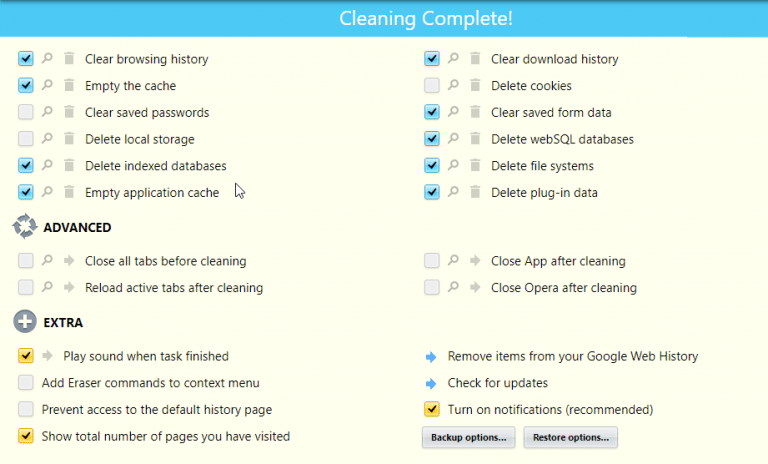
History Eraser for Opera is a useful add-on that can clear history of visited sites, cache, downloads list, cookies, passwords and form data. It is...
How To Install Google Chrome Extensions In Opera And Vivaldi
Google Chrome extensions can be used in other browsers too which are based on Chromium framework. Some of the popular ones include Opera and Vivaldi....
How To Reduce Battery Usage When Using Opera Browser
Opera browser comes with a built-in battery saving feature. This is a great feature to have when using a laptop that’s unplugged or if want...
How To Enable Search Box In Opera Browser
Opera browser by default doesn’t have the search box enabled. Here is how to enable it : Access settings by typing in the address bar...
How To Use The Convert Currency Feature In Opera Browser
Opera browser has a built-in currency converter that can scan numbers with currency symbols on web pages when that text is selected and display it’s...
Enable VPN Mode When Using Opera For Better Privacy
When using a browser directly to surf websites, location as well as IP details can be identified. A VPN Â (Virtual Private Network) connection masks this...




