5 Essential Habits for Better Digital Hygiene
Just like brushing your teeth or organizing your physical workspace, your digital life requires regular maintenance. Digital hygiene is the practice of keeping your devices running smoothly, protecting your personal data, and minimizing your vulnerability to cyber threats.

It might sound like a chore, but setting up a few good habits now will save you from massive headaches and potential data loss down the road.
So here are five straightforward ways to clean up your digital footprint and lock down your devices.
1. Automate Your Software Updates
Updates aren’t just for delivering shiny new features or redesigning menus; they are primarily released to patch newly discovered security vulnerabilities. Cybercriminals actively rely on users putting off their updates so they can exploit known loopholes.
- Turn on auto-updates: Go into the settings of your operating system (Windows, macOS, iOS, or Android) and toggle on automatic updates.
- Update your browser: Your web browser is your main gateway to the internet. Ensure browsers like Chrome, Edge, or Firefox are set to update themselves in the background.
2. Lock Down Passwords and Enable 2FA
Reusing the same password across multiple accounts is the digital equivalent of using one master key for your house, car, and office. So if a hacker gets it, they get into everything.
- Use a Password Manager: Tools like Bitwarden, 1Password, or Dashlane generate and store complex, unique passwords for every site you visit. You only have to remember one master password.
- Turn on Two-Factor Authentication (2FA): Whenever possible, require a second form of verification (2FA). Even if a bad actor steals your password, they can’t access your account without the temporary code from an authenticator app on your phone.
3. Purge Digital Clutter Regularly
A cluttered device is a slow device. More importantly, every application you have installed is a potential security risk if it is left unpatched or abandoned by its developer.
- Uninstall unused apps: Scroll through your phone and PC. If you haven’t opened an app or software program in the last six months, delete it.
- Clean your Downloads folder: This folder is notorious for hoarding gigabytes of old software installers, random images, and outdated PDFs. Delete what you don’t need and file away the rest.
- Empty the trash: Simply pressing “delete” doesn’t actually remove files from your storage drive. Remember to periodically empty your Recycle Bin or Trash to free up physical space.
4. Audit Your App Permissions
You would be surprised how many applications have continuous access to your location, camera, microphone, and contacts without actually needing them to function.
- Review your phone’s privacy settings: Open the settings menu on your smartphone and navigate to the privacy or permissions manager.
- Revoke unnecessary access: Does a simple calculator or flashlight app need to know your live GPS coordinates or have access to your microphone? Absolutely not. Turn those permissions off.
5. Implement the 3-2-1 Backup Strategy
Hardware fails, laptops get dropped, and ransomware exists. If your data isn’t backed up, you are one spilled cup of coffee away from losing your photos, documents, and projects. Follow the IT industry’s golden rule of backups:
- 3 Copies of your data: Keep the original data on your device, plus two backup copies.
- 2 Different media types: Store your backups on two different formats, such as a physical external hard drive and a cloud storage server.
- 1 Copy offsite: Cloud storage (like Google Drive, OneDrive, or a dedicated service like Backblaze) satisfies this requirement, ensuring your data survives even if your physical devices are damaged, lost, or stolen.
To sum it up, good digital hygiene is an ongoing routine. By taking an hour this weekend to implement these five steps, you will ensure your tech stays fast, your data stays yours, and your digital life remains secure.
Stay safe.

Phone Friction-Maxxing: Why You Should Go Grayscale
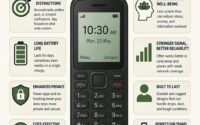
The Return of the Dial: Why “Dumbphones” Are the Smartest Move