

Windows 10 preserves a copy of all the applied updates even when newer updates are applied. While this is useful when trying to roll back updates, it gradually consumes a lot of disk space over time.
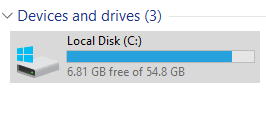
Here is how to delete them if using Storage sense to free up disk space doesn’t help :
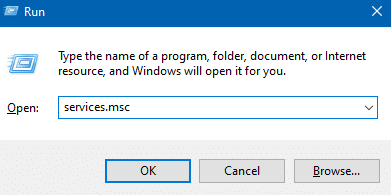
Open the Run box (shortcut key – Win key+ R) and type in : services.msc
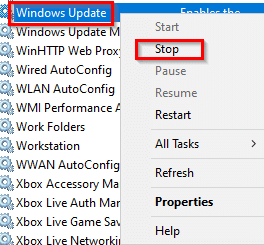
Next, scroll down to Windows Update service and right-click on it. Then choose Stop.
Then, open File Explorer (Win key + E) and in the Windows folder, locate the folder named Software Distribution.
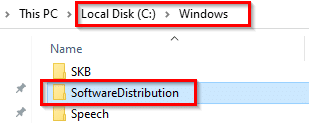
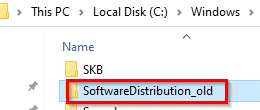
Rename it to something else like SoftwareDistribution_old. (If the Windows Update service wasn’t stopped before this, there will be an error while renaming this folder.)
Reboot the PC.
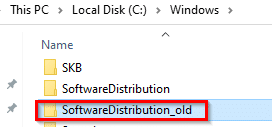
After rebooting, there will now be two folders – SoftwareDistribution and SoftwareDistribution_old. Delete this old folder.
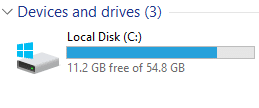
The disk space will now be freed up as these Windows Update files would’ve been deleted. (In this example, about 5 GB of disk space was freed solely by deleting the Windows Update files once the updates were applied.)
All done.







Hello,
Thank You, I never think that I can free up such a huge amount of amount. It helps me to free up to approx 5GB space.