We’ve all been there: staring at a blank text box, trying to find the perfect words. Whether you are drafting a tricky email to your landlord, writing a product review, or trying to sell an old couch on Craigslist, staring at a blinking cursor is exhausting.
To help fix this writer’s block, Google Chrome built an AI assistant directly into your browser called Help me Write. Powered by Google’s Gemini AI, this feature lets you generate, polish, and rewrite text on almost any website without ever leaving the page.
Here is everything you need to know about how it works, how to use it, and how it keeps your data safe.
What Makes It Different? (It Reads the Room)
If you have used ChatGPT or Gemini before, you know the drill: you have to copy text, paste it into a chatbot, explain what you want, and then copy the answer back.
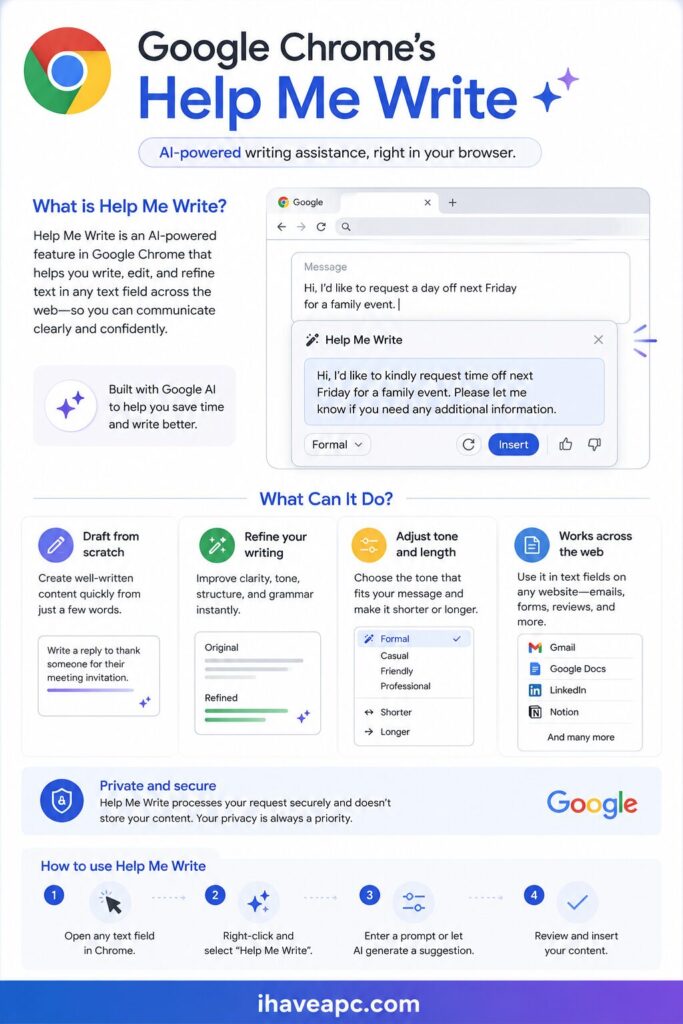
Help me Write skips all those steps because it is context-aware. It doesn’t just read your prompt; it looks at the website you are currently visiting to understand what you are trying to do.It can be used for various tasks like:
- Writing a Review: If you are on a gardening site reviewing a pair of shears and you type “highly recommend,” Chrome looks at the product page and automatically fills in details about those specific shears.
- Selling an Item: If you are on Facebook Marketplace and type “moving, selling air fryer for 50 bucks,” it will instantly format that into a friendly, professional classified ad.
- Replying to Emails: The most common use of all as it is directly integrated into Gmail. So if you are answering a message, it reads the previous email thread to make sure your reply actually makes sense.
How to Toggle Help me Write
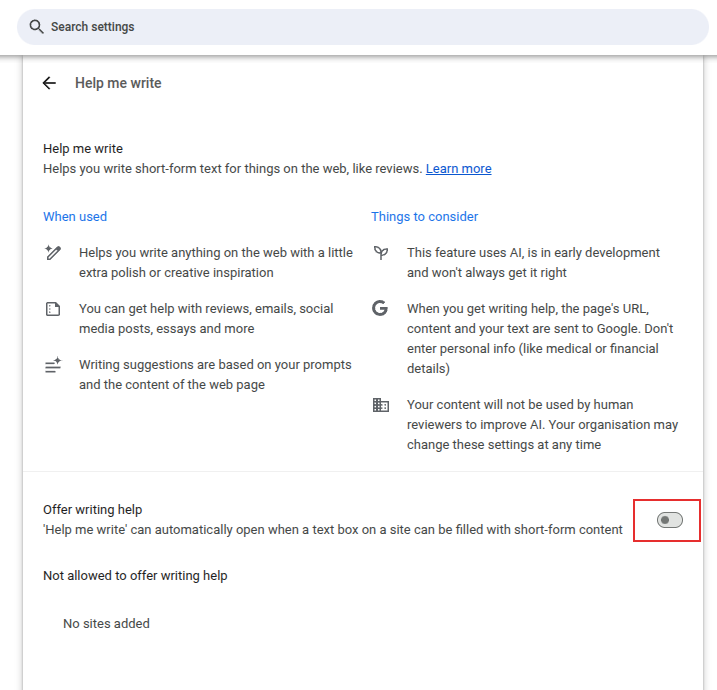
Toggling this feature is easy. Access the Chrome AI settings from the address bar:
chrome://settings/ai/helpMeWrite

Toggle the option Offer writing help.
Privacy and Safety: What You Need to Know
Because this tool looks at what is on your screen, Google has set up strict boundaries to protect your information:
- Sensitive Sites are Blocked: Chrome automatically disables “Help me write” on medical portals, banking websites, and credit card checkout pages.
- Don’t Share Personal Data: You should never type sensitive info like social security numbers, passwords, or bank account numbers into the prompt box.
- How Your Data is Used: If you are using a personal Google account, your prompts may be used by Google to train and improve the AI. If you are using a school or work account managed by an organization, your data is kept completely private and is never used for AI training.
Happy writing.